
If store checkout broke and orders stopped, the issue should be treated as urgent immediately. This is not a minor website problem. It means the store can still attract visitors, but the commercial core of the business is no longer working correctly. Customers may still browse products and even reach the checkout page, but they cannot complete purchases, which means revenue is already being affected.
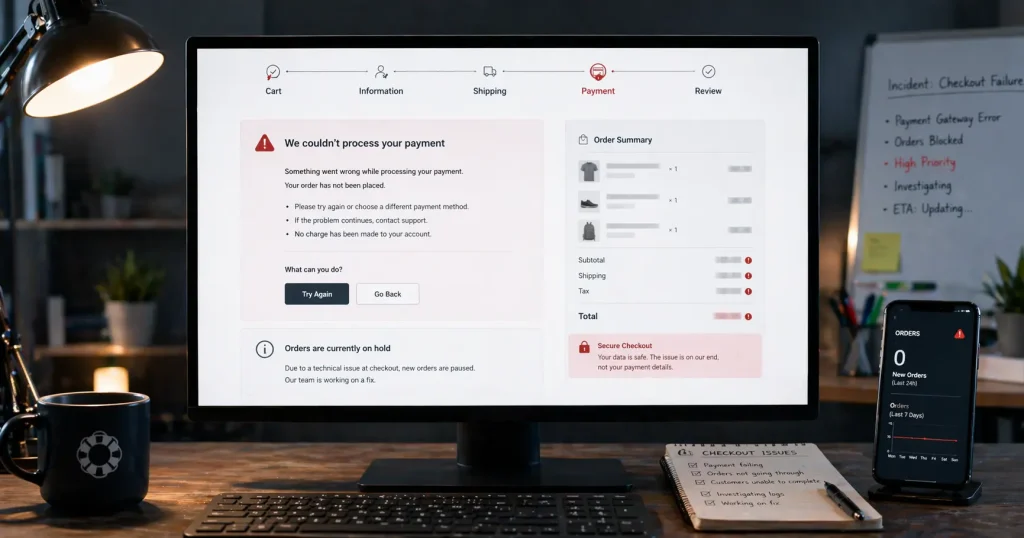
When store checkout broke and orders stopped, the visible symptom may look simple, such as a button that does nothing, a payment step that fails, or an order that never appears. In reality, the cause often sits deeper in payment gateways, plugin conflicts, checkout scripts, shipping logic, theme compatibility, cached assets, update-related mismatches, server-side problems, or suspicious security behavior.
What it usually means when store checkout broke and orders stopped
When store checkout broke and orders stopped, something in the purchase flow is no longer completing correctly. The cart may still work, the checkout page may still load, and the store may still appear online, but the order submission or payment step is failing before the order is finalized normally.
This kind of issue often appears after WooCommerce updates, payment gateway updates, plugin changes, theme edits, checkout customizations, shipping or tax changes, cache changes, or server-related changes. In some cases, the checkout looks normal on the surface while the order creation logic, payment confirmation, or validation process is already broken underneath.
Common signs that store checkout broke and orders stopped
The store does not always fail in the same way. Different checkout stacks show different symptoms, but the commercial impact is similar.
- The place order button does nothing
- Payment attempts fail or return an error
- The checkout page refreshes but no order is created
- Customers are sent back to checkout again and again
- The order is missing after a payment attempt
- Shipping or totals behave incorrectly during checkout
- The problem started right after a plugin, theme, WooCommerce, gateway, or store update
- Customers report that they cannot complete orders even though the store still looks online
- Checkout redirects unexpectedly or shows suspicious behavior
One of the most useful clues is whether every customer is affected or only certain payment methods, shipping conditions, browsers, devices, or order types. That detail often points toward the real technical source faster.
Why store checkout broke and orders stopped
Payment gateway failures
This is one of the most common reasons store checkout broke and orders stopped. A gateway plugin may fail because of version mismatch, configuration problems, API issues, update-related incompatibility, or conflicts with other plugins inside the checkout flow. If the failure mainly appears during payment, review the guide on why WooCommerce payments fail after update.
Plugin conflicts in checkout and order flow
Stores often run multiple extensions that affect checkout fields, coupons, subscriptions, taxes, shipping, analytics, fraud checks, and payment processing. One update or one conflict between these layers can stop orders from being created correctly.
Theme and template compatibility problems
Custom theme overrides or checkout template changes can interfere with validation, totals refresh behavior, button actions, and payment processing after a store update.
Shipping, tax, or totals logic issues
Sometimes store checkout broke and orders stopped because the order flow fails before payment is even attempted. Broken shipping methods, tax calculations, discount logic, or totals-related plugins can interrupt checkout earlier than expected.
JavaScript and stale checkout assets
Checkout depends heavily on scripts for validation, fragment refresh, totals updates, and payment actions. If the wrong scripts are still loading, the checkout may appear normal while key order actions fail.
Cart and checkout flow problems
If cart behavior is also unstable, quantities fail to update, totals change unexpectedly, or the checkout page breaks before payment, the issue may be broader than order submission alone. In that case, review the guide on WooCommerce cart or checkout broken.
Checkout-specific issues
If the cart seems normal but customers cannot complete the final checkout step, the problem may be tied to validation, checkout fields, scripts, payment gateway behavior, or order creation. For that situation, see the guide on WooCommerce checkout not working.
PHP compatibility issues, memory problems, deployment changes, cache behavior, or update-related mismatches between WooCommerce, plugins, and the server environment can also explain why store checkout broke and orders stopped.
Malware, viruses, or suspicious checkout behavior
Malware and viruses can also affect checkout and order flow. Unexpected redirects, injected scripts, unknown admin users, altered checkout files, or suspicious payment behavior can stop customers from trusting or completing orders safely.
What to check first when store checkout broke and orders stopped
The first checks should help isolate whether the failure is caused by payments, checkout logic, order creation, shipping totals, scripts, cache, security behavior, or the broader store environment.
1. Confirm what changed recently
Did the issue begin after a WooCommerce update, payment gateway update, plugin change, theme edit, checkout customization, shipping or tax change, deployment, cache change, or server adjustment? Store checkout broke and orders stopped most often when there is a clear timing link to a recent technical change.
2. Check whether checkout loads but order creation fails later
A checkout page that will not load is different from a checkout page that loads but fails at validation, payment submission, payment confirmation, or order creation. The failing step matters.
3. Identify whether one payment method fails or all order paths fail
If only one payment method is broken, the gateway itself may be the main issue. If every order attempt fails, the problem is often broader and tied to checkout validation, scripts, totals logic, cache, or store configuration.
When store checkout broke and orders stopped, the root cause often sits where payment gateways, shipping extensions, discounts, checkout customizations, subscription tools, tax logic, and theme overrides intersect.
5. Check for cache, stale scripts, and frontend optimization issues
Cached fragments, stale JavaScript, object cache, CDN cache, or aggressive optimization layers can leave checkout looking normal while order submission is already broken underneath.
6. Check whether suspicious behavior is involved
If checkout redirects unexpectedly, payment fields look unusual, unknown scripts appear, or customers report strange checkout behavior, malware or viruses should be considered as possible causes.
What not to do right away
- Do not update more plugins or payment gateways just to see whether orders return
- Do not switch multiple checkout, payment, shipping, or tax settings at once without tracking them
- Do not assume the visible payment error tells the whole story
- Do not keep testing risky changes on a live store during active traffic
- Do not ignore shipping, tax, totals, or custom checkout code as possible causes
- Do not ignore malware or viruses if checkout behavior looks suspicious or unsafe
When store checkout broke and orders stopped, uncontrolled changes often make the real source of the problem harder to isolate and can extend lost revenue.
When this issue becomes urgent
In practical terms, if store checkout broke and orders stopped, the issue is already urgent. The store can no longer convert active buyer intent into completed revenue, and each delay can increase lost sales, support requests, and customer frustration.
- Customers cannot complete payment
- Orders are no longer being created
- The store is receiving traffic but no successful orders
- Only some customers can complete checkout while others fail
- The issue appeared during a campaign, launch, or sales period
- Checkout behavior appears suspicious, unsafe, or inconsistent
If live orders are already being blocked, see the Emergency Website Bug Fix service.
When to get direct store troubleshooting help
A broken checkout with stopped orders usually means the problem is not isolated to one simple setting. It may involve payment gateways, plugin conflicts, shipping logic, theme compatibility, cached assets, server-side issues, suspicious checkout behavior, or update-related mismatches all at once.
If store checkout broke and orders stopped and the cause is not immediately obvious, structured troubleshooting is usually faster and safer than continued trial and error. For store-specific help, see the WooCommerce Bug Fix service.
Need urgent help with a broken store checkout?
If checkout is broken, orders have stopped, or payments are failing on a live store, PHP Rescue can help troubleshoot the issue and restore the affected order flow.
Frequently asked questions
Why did store checkout break and orders stop after an update?
In many cases, store checkout broke and orders stopped after an update because a payment gateway, plugin, theme override, shipping extension, cached script, or custom checkout logic no longer matches the updated environment.
Can store checkout break and orders stop even if the store still looks online?
Yes. A store can look mostly normal while the order flow itself is broken underneath, especially when the issue sits in payment processing, checkout scripts, totals logic, cache, or order creation.
Can a payment gateway issue cause store checkout to break and orders to stop?
Yes. Payment gateway compatibility problems are one of the most common reasons store checkout broke and orders stopped, especially after version changes or checkout-related plugin conflicts.
Can cart, shipping, or tax problems stop orders?
Yes. Cart updates, shipping methods, tax rules, coupons, and totals calculation problems can interrupt checkout before payment is completed and stop orders from being created.
Can malware or viruses affect store checkout?
Yes. Malware, viruses, injected scripts, suspicious redirects, or altered checkout files can affect checkout safety, payment trust, and order completion.
When store checkout broke and orders stopped, the most useful response is structured troubleshooting. The priority is to identify what changed, narrow down which step in the order flow is failing, check for suspicious behavior when needed, and decide whether the issue is safe to inspect further or already urgent enough to need direct technical help.