
When a PHP webhook failing problem appears, the visible symptom is often deceptively simple: an order remains pending, a CRM record is not updated, a subscription event is missed, or a provider dashboard shows a failed delivery. The cause can sit at several points in the path: the provider may not reach the endpoint, the web server may reject the request, PHP may fail while parsing it, or the application may accept the request but fail later during processing.
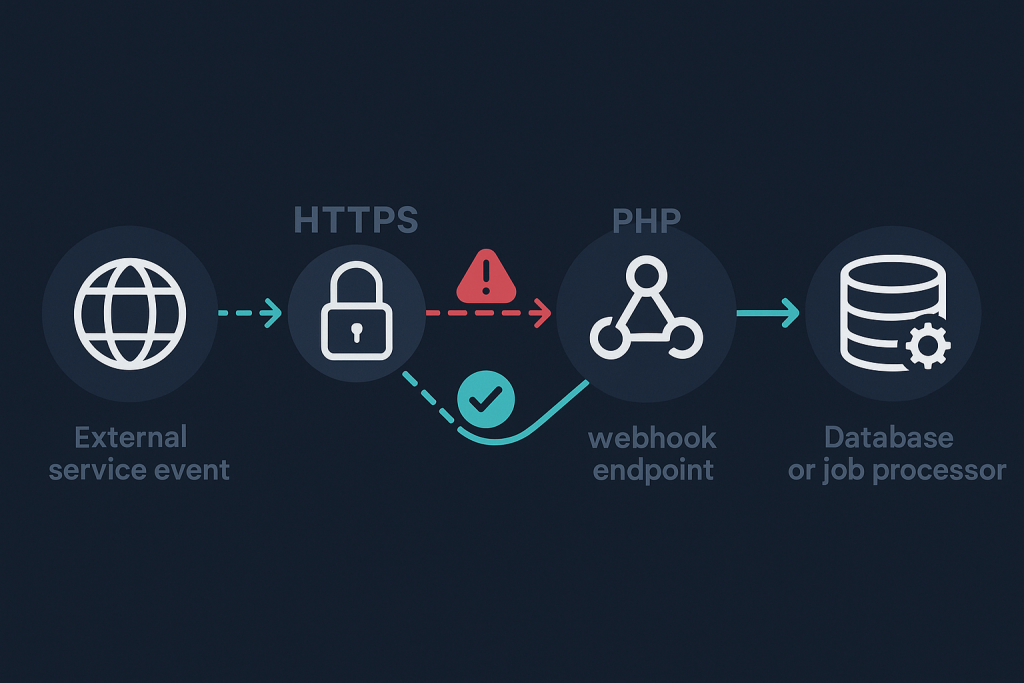
The fastest route to a reliable fix is to establish exactly how far the request gets. Avoid repeatedly clicking “resend” or changing several settings at once. Those actions can create duplicate events and make the original failure harder to isolate. If the issue affects a live business workflow and needs direct investigation, a PHP bug fixing service can trace the failed path and verify the repair safely.
Start by defining what “failing” means
Webhook failures fall into four useful categories. Identifying the category prevents wasted effort.
- No delivery attempt: The provider has not created an event, the configured endpoint is wrong, or the event subscription is disabled.
- Delivery cannot reach the server: The provider reports a timeout, DNS issue, TLS problem, connection refusal, or 5xx response from the edge.
- The endpoint receives the request but rejects it: PHP or the application returns a 4xx or 5xx response, often because validation, authentication, or parsing fails.
- The endpoint returns success but the expected action does not happen: The request is acknowledged, but database writes, background jobs, business rules, or downstream API calls fail afterward.
Record one affected event ID, its delivery timestamp, the endpoint URL, the provider’s reported response code, and any response body supplied by the provider. This gives you a stable test case. It is much more useful than a general statement that “webhooks stopped working.”
Confirm the provider is sending to the intended endpoint
First, review the webhook configuration in the provider’s dashboard. Confirm the event type is enabled and that the production endpoint—not a staging, old-domain, or development URL—is configured. A trailing path change, an HTTP-to-HTTPS redirect, or a moved application directory can be enough to break delivery.
Then inspect the delivery record. Most providers show the destination, attempt time, response status, retry count, and sometimes the request payload. A reported 404 usually means the route does not exist at that exact URL. A 301 or 302 may reveal an unwanted redirect. While some providers follow redirects, others do not, and a redirect can also drop headers needed for signature verification.
Do not assume that a successful browser visit proves a webhook route is healthy. Providers commonly send POST requests with JSON and signature headers, whereas opening a URL in a browser sends a GET request. The endpoint must be tested in the same shape as the real request.
Check whether the request reaches the web server
If delivery shows timeouts or 502, 503, or 504 responses, move outward from PHP. Check DNS resolution, the TLS certificate, firewall or WAF rules, reverse-proxy configuration, and web-server access and error records. A security layer can block an unfamiliar user agent, a large JSON body, a request from a provider IP range, or a header pattern it considers suspicious.
Look for the affected request by timestamp and request path. An access record that shows a 403 points toward a server, proxy, or security rule before application code runs. A 413 indicates that the request body exceeds a configured size limit. A 429 can mean rate limiting is rejecting provider retries. If there is no matching access record at all, the request may be going to the wrong host, blocked before the origin, or failing during network connection.
For a short, controlled diagnostic period, add a minimal request marker at the start of the endpoint. Record the timestamp, request method, content type, content length, and provider event ID where available. Do not store full payment, customer, or authentication data in ordinary logs. The goal is to prove arrival without creating a data-handling problem.
Return the right response quickly
Many webhook providers expect a successful response within a limited time. A PHP endpoint that performs database work, sends emails, calls multiple APIs, or generates documents before responding can exceed that limit. The provider may mark the attempt failed and retry even if the work eventually completes.
A safer design is usually:
- Read the raw request body and required headers.
- Verify the signature or shared-secret proof.
- Validate that the event is structurally acceptable.
- Persist a record of the event or place it in a reliable processing mechanism.
- Return a 2xx response promptly.
- Perform longer business processing separately, with clear failure reporting.
This is not a reason to return 200 for every request. Returning success before durable acceptance can silently lose events. The application should only acknowledge a webhook after it has verified the request and recorded enough information to process or retry it safely.
Verify raw payload handling and JSON parsing
A common PHP webhook failure occurs when code reads the incoming body incorrectly. JSON providers normally send the raw body, which PHP makes available through php://input. Values expected in $_POST may be empty when the content type is application/json. Read the body once, preserve it for signature verification if required, and decode it with explicit error handling.
For example, distinguish between an empty body, invalid JSON, valid JSON with missing expected fields, and a valid event type your application does not support. Those are different failures and should not all return the same vague server error.
Also check request-size limits and encoding. Large webhook payloads can be truncated or rejected by PHP, the web server, or a proxy. A payload may be valid JSON but not match the object shape assumed by an older integration. If the provider recently added fields or changed an event version, defensive validation is safer than relying on a fixed array path without checks.
Check signature verification before changing secrets
Signature failures are often blamed on an incorrect secret, but the secret is only one possibility. Providers typically calculate a signature from the exact raw body, sometimes combined with a timestamp or other header. If code decodes and re-encodes JSON before verification, normal formatting differences can cause a mismatch. Reading from the input stream twice can also leave the verification code with an empty value.
Compare the header name, algorithm, timestamp tolerance, endpoint-specific secret, and raw bytes used by the provider’s documented scheme. Confirm that a proxy is not stripping the signature header. Rotate or replace a secret only when the evidence supports it; an unnecessary change can interrupt a previously working integration and complicate comparison with older deliveries.
Protect against retries and duplicate events
Webhook delivery is commonly at-least-once, not exactly-once. A provider can retry after a timeout, network interruption, or unclear response—even if PHP partially processed the first attempt. Consequently, a repair that merely makes the endpoint respond can expose a second issue: duplicated orders, duplicate notifications, or repeated account updates.
Use a provider event ID, delivery ID, or a well-defined idempotency key to record processed events. Before applying a side effect, check whether the same event was already completed. Treat that check and the associated database change as carefully as possible so two nearly simultaneous retries cannot both perform the action.
Keep failed events visible. If later processing fails after the endpoint accepts the webhook, retain the event ID, status, failure reason, and retry history. This separates a delivery problem from an application-processing problem and makes recovery measurable.
Test the complete event flow after the fix
A 200 response alone is not proof that the issue is solved. Trigger a controlled test event and verify each stage: the provider marks delivery successful, the endpoint records the event, the expected business action occurs once, and any relevant downstream system receives the update. Check both success and a deliberately invalid request where practical, confirming that invalid signatures or malformed data are rejected without exposing sensitive details.
Finally, monitor the next genuine events. Review delivery failures, application exceptions, delayed processing, and duplicate-event handling. A small amount of observation after release is often what catches a fix that works for the sample payload but not for a real event variation.
When a PHP webhook issue needs deeper investigation
Escalate promptly when failed events affect payments, subscriptions, stock, account provisioning, legal notifications, or other irreversible actions. It also warrants careful troubleshooting when the endpoint intermittently times out, returns 2xx but loses work, or begins failing after a provider, server, dependency, or deployment change.
Bring the provider delivery ID, a timestamp with timezone, the endpoint path, the observed status code, relevant sanitized server and application records, and a description of the missing business result. That evidence makes it possible to trace the request from delivery through PHP and into the system that should have acted on it.
Frequently asked questions
Why does my webhook provider show a timeout when PHP eventually finishes?
The provider may have a shorter response deadline than the time PHP needs to finish downstream work. Store or queue the verified event reliably, return a success response promptly, and process longer tasks separately.
Should a webhook endpoint return 200 if processing fails?
Only return success after the event has been safely accepted and recorded. If it cannot be verified or durably stored, a failure response may be appropriate so the provider can retry, subject to its delivery rules.
Can a reverse proxy cause a PHP webhook failing issue?
Yes. A proxy, CDN, WAF, or load balancer can block requests, impose body-size or timeout limits, redirect traffic, or remove headers used for signature checks before the request reaches PHP.
How do I avoid duplicate webhook processing?
Use the provider’s event or delivery identifier as an idempotency key, record processing state, and ensure retries do not repeat completed side effects.