
When a lightweight API starts returning errors, timing out, or behaving differently after a release, Lumen bug fixing needs a disciplined approach. Lumen shares much of Laravel’s ecosystem, but its deliberately minimal setup means that assumptions carried over from a full Laravel application can hide the real cause of an incident.
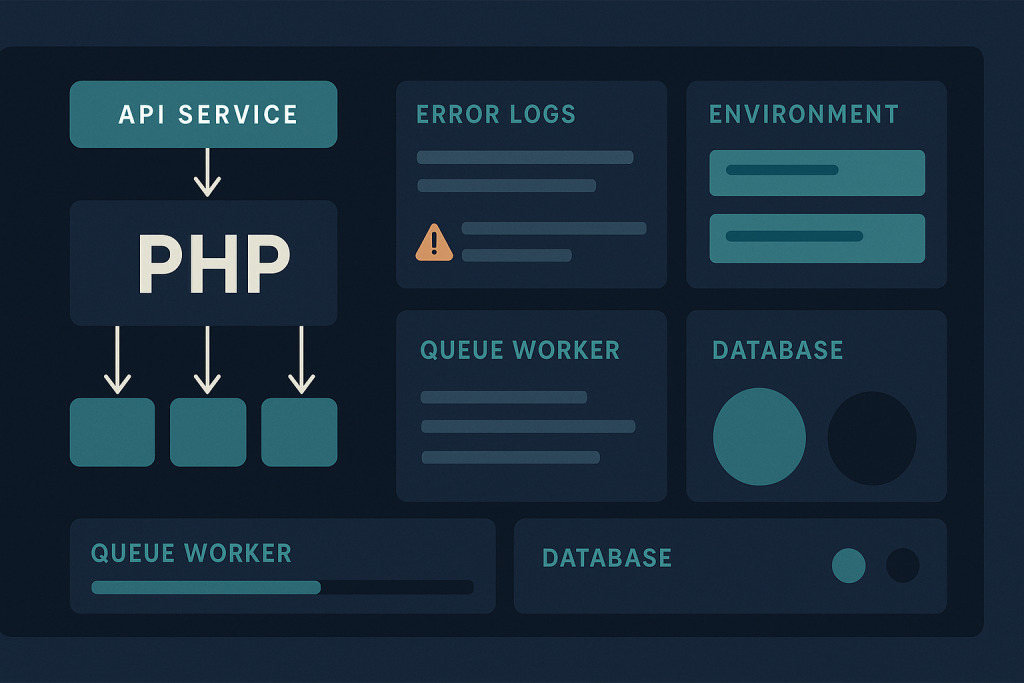
The goal is not to run every cache-clearing command or change environment variables until the problem disappears. A safer process is to define the failing request, preserve evidence, compare the running environment with the expected one, and make the smallest verifiable correction. This is especially important when Lumen is powering an authentication service, webhook endpoint, internal API, or other system that other applications depend on.
Why Lumen issues can be difficult to trace
Lumen was designed as a smaller, faster framework for APIs and microservices. Depending on the application version and how it was built, features that developers take for granted in Laravel may need to be enabled, registered, or configured explicitly. Middleware, facades, service providers, configuration loading, exception reporting, and queue behavior can therefore become part of the diagnosis.
This does not mean every Lumen problem is framework-specific. Many incidents still come down to ordinary production concerns: unavailable database credentials, a missing environment variable, a PHP extension mismatch, expired third-party credentials, insufficient file permissions, or stale worker processes. The difference is that a minimal bootstrap and an API-first architecture can make those problems appear as a simple 500 response with little visible context.
Start by defining the failed behavior
Before editing code or server settings, make the failure reproducible and specific. “The API is broken” is not enough to isolate a cause. Record the route, HTTP method, request body shape where safe to do so, response status, approximate time, and whether the issue affects all callers or only a particular client or input.
Useful questions include:
- Did the failure begin immediately after a deployment, infrastructure change, credential rotation, or dependency update?
- Does a health endpoint still respond while business endpoints fail?
- Is the result consistently a 500 error, or are there timeouts, 401/403 responses, validation failures, or intermittent results?
- Does the same request work in staging or from a local environment using comparable data?
- Are only asynchronous tasks failing, while synchronous API requests continue to work?
A narrow symptom prevents broad, risky actions. For example, an authentication route failing only for newly created users points toward a specific code path, database state, or external identity service—not necessarily the application’s entire configuration.
Check logs without exposing sensitive data
Application logs are usually the fastest route to a meaningful exception, failed query, transport error, or stack trace. Review entries around the exact failure time and correlate them with web-server, PHP-FPM, container, or platform logs when necessary. If the application log is empty, that absence is also a clue: the request may be failing before Lumen handles it, logging may be misconfigured, or the process may not be able to write to the configured log destination.
Do not enable public debug output as a diagnostic shortcut. A production response can reveal paths, configuration values, package versions, or other information that should remain private. Keep diagnostic detail in authenticated logs and return controlled error responses to callers.
When reviewing an exception, work from the first meaningful application or dependency failure rather than only the final error response. A generic “server error” is often the final consequence of a missing class binding, unavailable connection, invalid configuration value, or unhandled exception earlier in the request.
Verify environment variables and explicit configuration
Configuration drift is a common source of Lumen production issues. A deployment may contain the correct code while the live process is still using an old environment file, missing secret, incorrect host name, or a value formatted differently than the application expects.
Compare the required configuration keys with the deployed environment without copying secrets into tickets, chat, or logs. Pay particular attention to:
- application environment and base URL settings;
- database host, port, database name, username, and TLS requirements;
- cache, session, and queue connection settings where used;
- mail, storage, webhook, and API credentials;
- allowed origins and trusted proxy settings for APIs behind a load balancer; and
- feature flags or integration endpoints that differ between staging and production.
Also confirm that the application is actually loading the values you changed. Long-running PHP processes, queue workers, containers, and deployment tooling may retain an earlier environment until they are restarted or replaced through the normal release process.
Review middleware, providers, and route setup
In a full Laravel application, a developer may expect certain middleware, aliases, facades, or service providers to be available by convention. In Lumen, the application’s bootstrap configuration deserves direct inspection. A missing registration can show up as an authorization failure, unresolved dependency, missing configuration value, unexpected route behavior, or an exception that only occurs on a particular endpoint.
Review the affected route and trace its execution path: route definition, route middleware, controller or action, validation, service classes, model access, events, and outbound calls. Compare that path with a working route when possible. The difference between the two is often more useful than a broad review of the entire repository.
Be cautious with changes that globally enable framework features solely to suppress an error. Enabling a facade or provider may be correct, but it should be tied to a clear dependency and tested for side effects. A minimal application becomes harder to maintain when diagnostic changes accumulate without explanation.
Separate request failures from queue and scheduler failures
Not every Lumen incident happens during an HTTP request. An endpoint may successfully accept work while the queued job that sends a notification, synchronizes data, or calls a third-party service fails later. This can create the misleading impression that the API worked normally.
For background failures, check the queue connection, failed-job records if configured, worker logs, worker uptime, retry behavior, and the deployment version running in each worker process. A common operational issue is deploying new job code while workers continue to execute the old release. Restarting workers through the application’s established deployment procedure is generally safer than manually killing processes without confirming how they are supervised.
If scheduled tasks are involved, verify the scheduler command, server cron or platform schedule, timezone assumptions, and logs proving that the schedule is actually invoked. A correctly written scheduled command cannot run if the host never calls it.
Test database and external-service boundaries
Many apparent application bugs are failures at a boundary: the database is reachable but a migration is missing; an upstream API returns an unexpected payload; a webhook signature no longer matches; or a timeout is too short for real production latency. Test these boundaries deliberately.
For database-related incidents, verify connectivity, credentials, schema version, migrations, and the specific query or transaction shown in logs. Avoid running destructive repair commands on live data just to see whether they help. Take backups and follow the project’s change controls before altering schema or data.
For external services, capture status codes, timeout messages, and sanitized response details. Confirm DNS, network egress rules, certificates, authentication, rate limits, and changed API contracts. If an integration is unreliable, the application may also need explicit timeout handling, retries where safe, and clear failure reporting rather than an unhandled exception.
Deploy fixes with a verification plan
A fix is not complete when the exception disappears on one request. Before deployment, define what will prove the correction: a successful API call, a queue job completing, an expected database update, an integration callback, or a monitored error rate returning to normal. Test the smallest affected flow in staging when a representative environment is available.
In production, use the project’s normal release method, then verify the endpoint and relevant logs immediately afterward. Watch for related regressions, particularly when the fix changes shared middleware, bindings, configuration, or a package version. Document the root cause and the exact corrective change so that a later deployment does not recreate the same condition.
When to get specialist help
Bring in focused help when the API is business-critical, errors are intermittent, the failure crosses infrastructure and application boundaries, or there is no safe way to test the change alone. Clear handover information speeds up diagnosis: the affected URL or command, approximate start time, recent changes, sanitized log excerpts, deployment method, framework and PHP versions, and available staging access.
Lumen is Laravel-based, and hands-on investigation can cover Lumen applications alongside conventional Laravel projects. For targeted production troubleshooting, see Laravel Bug Fixing.
Frequently asked questions
Is Lumen still different enough from Laravel to affect debugging?
Yes. The underlying concepts are closely related, but Lumen applications can have a more explicit bootstrap and configuration setup. That means registered providers, middleware, configuration loading, and operational process management should be checked directly rather than assumed.
Can a Lumen API fail after a deployment even when the code is correct?
Yes. Environment variables, permissions, missing build artifacts, stale workers, dependency differences, or infrastructure settings can cause production failures even when the source-code change itself is valid.
Should APP_DEBUG be enabled to fix a Lumen production error?
Do not expose debug output publicly in production. Use protected logs and controlled monitoring to gather diagnostic information while keeping internal details out of API responses.
Can a Symfony-only application be handled as a Lumen issue?
No. Lumen is Laravel-based. Although both ecosystems use PHP components and may share technical patterns, a Symfony-only application should be diagnosed according to its own framework configuration and runtime behavior.