
A Symfony CSRF token invalid error is frustrating because the visible failure happens at form submission, while the real cause may sit elsewhere: session storage, cookies, page caching, a deployment, a reverse proxy, or a mismatch in how a custom form creates and validates tokens.
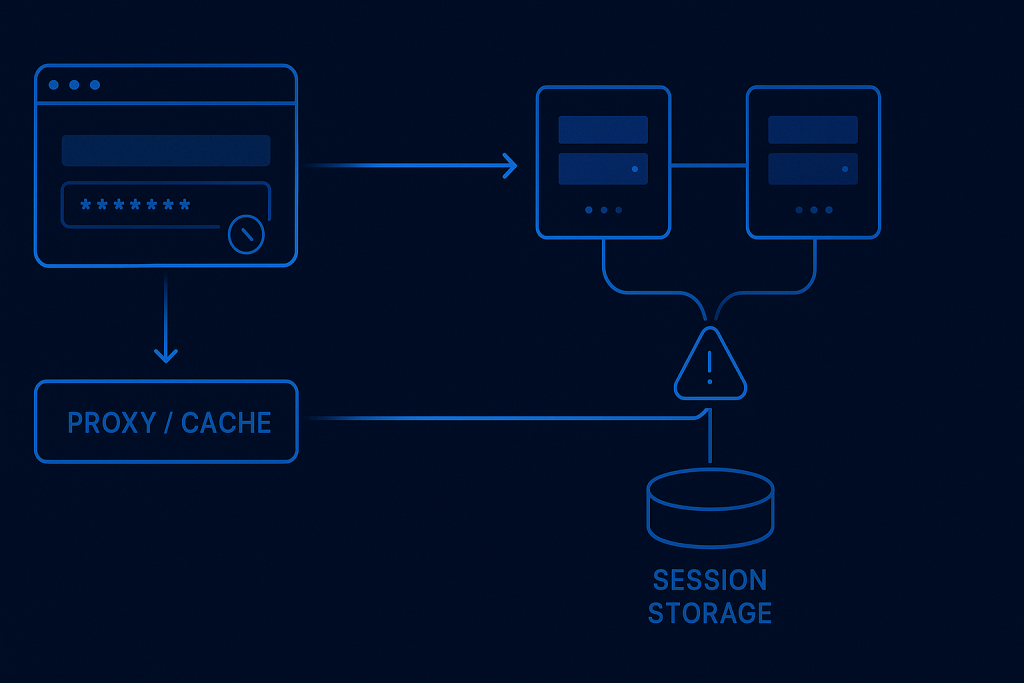
The safe response is not to remove CSRF protection. A CSRF token protects state-changing actions from requests a user did not intentionally make. Disabling it may make an error disappear while introducing a security problem. Instead, determine whether the submitted token, the user session, and the application instance handling the request still agree.
If the issue is affecting a live application, checkout-like workflow, account area, or admin action and needs focused investigation, Symfony Bug Fixing can help trace the failed request and apply a targeted repair.
What “CSRF token is invalid” means in Symfony
CSRF stands for cross-site request forgery. In a typical Symfony form flow, the application renders a hidden token field with the form. When the user submits the form, Symfony validates that token against the expected token ID and the current user session or token storage.
An invalid-token error means Symfony could not validate the submitted value. That does not automatically mean an attacker is involved or that the user did anything wrong. It usually means one of the following is true:
- The page was rendered under one session, but submitted with another.
- The browser did not send the expected session cookie.
- A cached page served an old token to a different visitor.
- The form renders and validates different token IDs.
- Two application servers do not share compatible session state.
- The user kept an old tab open through a deployment, logout, or session expiry.
The error text is the same in each case, so the useful task is to identify which part of the request lifecycle changed.
First, confirm where the failure occurs
Before changing configuration, establish a small set of facts. Reproduce the problem in a private browser window if possible, and note whether it affects every form or only one action.
- Does the form fail for all users or only some users?
- Does a fresh page load and immediate submission work?
- Does the failure occur only after the page has been open for a while?
- Is it limited to production, a particular domain, or a particular browser?
- Did it begin after a deployment, infrastructure change, HTTPS change, or cache change?
- Does the response come from the expected application environment and release?
A form that fails immediately for every user points more strongly to form configuration, token IDs, or a broken session setup. A form that fails only after time has passed often points to expiry, logout, stale HTML, or caching. Intermittent failures under load are especially worth investigating for load balancing and shared session storage.
Check the submitted request and application logs
Use browser developer tools or a controlled request capture to verify that the form submission includes the expected hidden field, commonly named _token. Do not copy real tokens into public tickets, chat messages, or logs. Their value is sensitive session-related data.
Then compare the request with application logs around the same timestamp. Look for the route, authenticated user state, session-related warnings, redirects, and the exact exception or validation error. A generic 400 response may hide useful detail in Symfony logs.
It is also important to distinguish a genuine CSRF validation failure from a front-end problem that prevents the form from submitting correctly. For example, custom JavaScript may replace form HTML, submit a partial payload, or send an AJAX request without the expected token. Confirm the actual request payload before assuming Symfony itself is generating a bad token.
Verify that the form uses one consistent token ID
Symfony forms can use a CSRF token ID to separate tokens for different purposes. The form must render and validate the same ID. Problems often appear after a custom form type, embedded form, or controller-level validation was changed.
For a standard Symfony form, review the form type configuration and any inherited options. For a manually rendered or custom endpoint, verify that the token is generated for the same intention or ID that validation expects. A token created for one action should not be validated as though it belonged to another.
Pay particular attention to:
- Custom csrf_token_id values added to form types.
- Controller code that calls the CSRF token manager directly.
- Forms embedded inside collections or repeated components.
- JavaScript-rendered modals that reuse markup intended for another action.
- Delete, logout, or preference-change links converted into custom POST requests.
A reliable test is to load the form, submit it without altering the page, and compare that result with a custom JavaScript or AJAX path. If only the custom path fails, inspect how it obtains and sends the token rather than changing global Symfony security settings.
CSRF validation commonly depends on the visitor retaining the same session between the GET request that renders the form and the POST request that submits it. If the session changes, a previously rendered token may no longer validate.
In browser developer tools, inspect whether the session cookie is present on both requests. A cookie may be missing because its domain, path, Secure, SameSite, or proxy-related settings are wrong for the way the site is accessed.
Common examples include a form loaded on one hostname and posted to another, an HTTP-to-HTTPS redirect that changes cookie behaviour, or a staging and production site sharing an overly broad cookie domain. An application behind a reverse proxy can also misinterpret the original scheme if trusted proxy settings are incomplete, causing secure-cookie behaviour that does not match the public URL.
Do not treat a cookie issue as fixed merely because it works on your own browser. Test the exact public hostname, HTTPS path, login state, and affected browser flow. This is particularly important for embedded applications and cross-site integrations, where browser privacy controls can affect cookies differently.
Rule out cached HTML with stale tokens
Full-page caching is a frequent source of a Symfony CSRF token invalid error. If a shared cache stores HTML containing a token, it can serve that page to another user or continue serving an old version after the original session is gone. The resulting submission fails correctly because the token does not belong to the current session.
Review each caching layer, not just Symfony cache:
- CDN or edge caching rules
- Reverse proxies such as Varnish
- Hosting-platform page caches
- Application-level response caching
- Custom cache headers on authenticated or form pages
Pages containing session-bound forms should normally not be shared as generic public HTML. If the page must be cacheable, redesign the token delivery flow carefully—for example, by loading a user-specific form fragment separately where appropriate. The right approach depends on the page architecture, but the key principle is simple: do not serve one visitor’s session-bound form token to everyone.
Check multi-server and deployment behaviour
If the issue is intermittent, particularly after traffic growth or an infrastructure move, find out whether requests can reach more than one application instance. A user may receive the form from server A and submit it to server B. If sessions are stored locally on each server rather than in shared storage, server B may not recognize the token context created by server A.
Possible remedies include properly configured shared session storage or deliberately configured session affinity where that design is appropriate. The correct choice depends on the deployment architecture, but relying on accidental stickiness is fragile.
Deployments can trigger a similar symptom. Clearing session storage, changing application secrets, changing cookie settings, or switching users between incompatible releases can invalidate tokens held in open browser tabs. Tell users to refresh when a deployment is complete, but also review the release process so normal deployments do not create avoidable form failures.
Handle expired tabs and intentional session changes gracefully
Some CSRF failures are expected. A user may leave a sensitive form open for hours, log out in another tab, lose their session, or return after a maintenance window. The old page contains a token that is no longer valid.
The application should fail safely, but the user experience still matters. Where suitable, provide a clear message that the page has expired and ask the user to refresh and try again. Avoid implying that data was saved when it was not. For longer forms, consider preserving non-sensitive entered values on the client only where that is appropriate for your privacy and security requirements.
Do not fix the error by disabling CSRF protection
Turning off CSRF protection globally, exempting broad routes, or accepting requests without validating a token is rarely a legitimate production fix. It hides the symptom while leaving actions such as profile changes, address updates, or administrative operations more exposed.
If an endpoint is genuinely stateless—for example, an API endpoint authenticated through a mechanism designed for APIs—it may need a different security model rather than a browser-form CSRF flow. That should be an intentional route-level design decision, not an emergency workaround for a failing form.
A safe verification checklist
After making a change, verify more than a single successful submission:
- Load the form in a fresh browser session and submit it immediately.
- Repeat the test while authenticated if the form is protected.
- Test the exact public HTTPS hostname and any alternate hostnames that users may reach.
- Test from a second browser or private window to catch shared-cache mistakes.
- Where multiple servers exist, run repeated requests and inspect whether the problem returns intermittently.
- Confirm invalid or missing tokens are still rejected.
- Review logs after the test for related session, proxy, or application errors.
That final check matters: the goal is not simply to accept every submission. The goal is to restore valid user requests while keeping forged or malformed requests protected.
When to get help with a Symfony CSRF failure
Bring in focused technical help when the failure affects production users, appears only on certain servers or browsers, started after an infrastructure change, or cannot be reproduced consistently. These cases often require correlating browser requests, proxy headers, cookies, session storage, cache rules, and Symfony configuration rather than changing one line in a form type.
A concise issue report should include the affected URL and action, whether the user is logged in, the approximate time of the failure, whether it is intermittent, recent releases or hosting changes, and any safe-to-share log excerpts. Do not include passwords, full session cookies, or live CSRF token values.
Frequently asked questions
Can I disable CSRF protection to get a Symfony form working?
It is not a safe general fix. First identify whether the problem is a token-ID mismatch, session change, cookie problem, cached HTML, or multi-server session issue. Stateless API routes may use a different security design, but that should be intentional and narrowly scoped.
Why does the error happen only sometimes?
Intermittent failures often indicate session affinity or shared-storage problems across multiple servers, a cache layer that occasionally serves stale HTML, or an expiry-related issue involving long-open browser tabs.
Can a CDN cause invalid Symfony CSRF tokens?
Yes. A CDN or reverse proxy can cause the problem if it caches a page that contains a session-bound form token and serves that HTML to other visitors or after the originating session changes.
Why did the error start after moving to HTTPS?
HTTPS changes can reveal cookie configuration or trusted-proxy issues. Check the public hostname, redirects, cookie attributes, and whether Symfony correctly detects the original HTTPS scheme behind the proxy.