
Website maintenance vs web hosting is a distinction that matters most when something needs attention. Hosting provides the server environment where a website runs. Website maintenance is the ongoing work of keeping the website, its software, integrations, and important user journeys dependable.
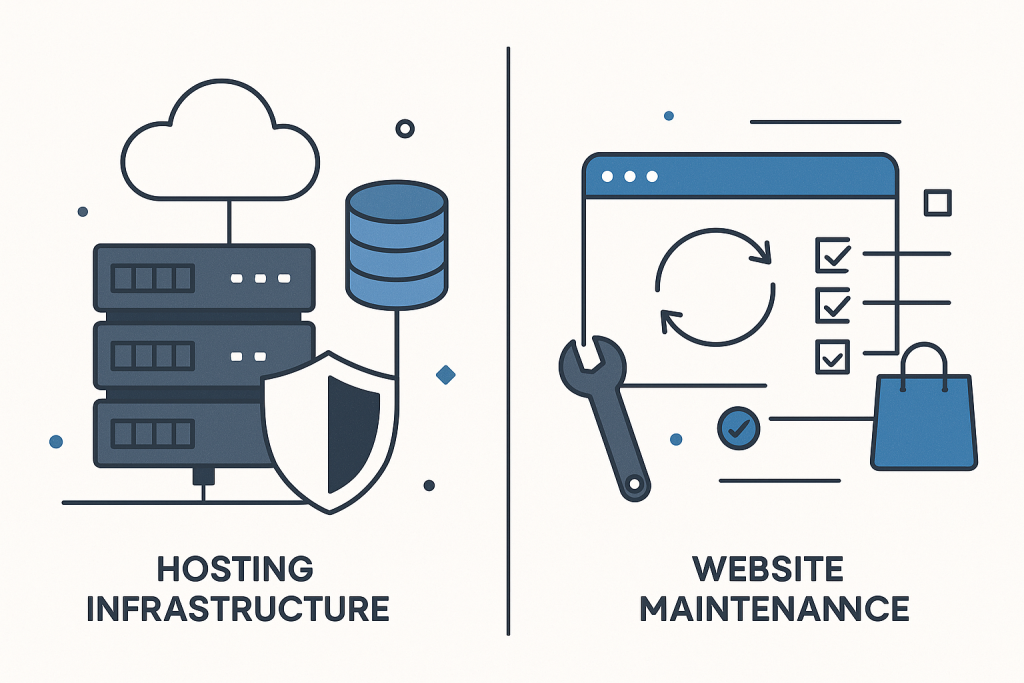
They work together, but they are not the same service. A hosting company may keep a server online, manage parts of its infrastructure, and provide a control panel. That does not automatically mean someone is monitoring plugin compatibility, reviewing failed backups, testing checkout after changes, or investigating a broken form. For that wider technical care, consider Website Maintenance Support.
What is web hosting?
Web hosting is the rented technical environment that makes a website available on the internet. Depending on the plan, it may include storage, a database server, email-related tools, SSL certificate features, backups, server monitoring, and support for the hosting account.
The host’s central responsibility is usually the platform it operates. For example, it may investigate an outage affecting its network, replace failed server hardware, apply infrastructure-level security patches, or help when a hosting account reaches a resource limit. Managed WordPress hosting can add useful services such as platform caching, staging tools, automatic core updates, or malware scanning.
Those features are valuable, but their exact scope varies by provider and plan. Even a strong managed hosting package typically has boundaries. It may not include diagnosing a conflict between two plugins, repairing custom theme code, correcting a WooCommerce shipping setup, or checking whether a third-party payment integration is still working correctly.
What is website maintenance?
Website maintenance is the recurring technical care of the website itself. It focuses on the application layer: WordPress, WooCommerce, themes, plugins, custom PHP code, templates, database behaviour, forms, APIs, and other components that make the site do its job.
Maintenance is not simply clicking an update button. A responsible process considers dependencies and business impact. An update can affect a custom checkout field, an old template override, a caching rule, or a connection to an external service. The goal is to make sensible changes, verify key functions, and investigate unexpected behaviour before a small issue becomes a larger interruption.
The precise work depends on the website, but ongoing maintenance often includes:
- Reviewing available core, plugin, theme, and dependency updates.
- Applying appropriate updates in a controlled order.
- Checking that backups are configured and can be relied upon when needed.
- Reviewing security hygiene, user access, and outdated software.
- Testing important paths such as contact forms, logins, checkout, and order notifications.
- Investigating recurring errors, warnings, or unusual site behaviour.
- Handling small technical fixes and keeping a record of relevant changes.
- Providing a technical contact who understands the site’s existing setup.
Website maintenance vs web hosting: a practical comparison
AreaWeb hosting usually coversWebsite maintenance usually covers
Server availabilityThe infrastructure that serves the websiteChecking whether a site-level problem needs hosting input
Software updatesMay update server software or offer automated toolsAssessing and applying CMS, plugin, theme, and custom-code updates
BackupsMay create account or server backupsReviewing backup coverage and recovery readiness for the website
Broken functionalityMay confirm whether the server is operating normallyTracing site code, configuration, integrations, and compatibility issues
SecurityProtecting its infrastructure and account environmentKeeping the website software, access, and configuration under review
Business workflowsGenerally outside normal host supportTesting and maintaining forms, checkout, emails, and other critical flows
This is a general comparison, not a guarantee of any provider’s scope. Always read the terms of a hosting plan and clarify what support is included. The crucial question is not whether a service is labelled “managed,” but who is responsible for the specific task your site needs.
Why hosting support may not fix a website problem
When a website displays an error, runs slowly, or fails to complete an order, hosting support is often a sensible first contact if there are signs of a server-level issue. However, a host may confirm that PHP is running, disk space is available, and the database server is reachable—while the website remains broken.
That does not mean the host is unhelpful. It usually means the fault sits outside its responsibility. A site can fail because of incompatible extensions, a theme override that no longer matches WooCommerce, a scheduled task that has stopped running, incorrect credentials for an external API, or custom code that encounters an unexpected condition. These need application-level troubleshooting.
For an online store, the division is especially important. The server can be fully available while customers cannot select shipping, complete payment, receive order emails, or view the right prices. Availability is only one part of a healthy website. The functions that support leads, sales, and operations must also be checked.
Do you need both web hosting and maintenance?
Most active business websites need both, even if they are supplied by different companies. Hosting provides the foundation. Maintenance provides continuing attention to the site built on that foundation.
A very small, static site with no integrations and few changes may require little ongoing intervention. By contrast, a WordPress site with several plugins, a WooCommerce store, membership functions, forms, advertising campaigns, or custom development has more moving parts. The more important the website is to daily operations, the more useful it is to have a clear maintenance owner.
It is also possible for one provider to offer hosting and maintenance together. This can simplify communication, but it is still worth asking specific questions: Are plugin and theme updates included? Are critical journeys tested after changes? Who handles custom code? What happens if a third-party service changes? Is troubleshooting included, or only server support?
What to clarify before choosing support
Before relying on a host, developer, or maintenance provider, document who owns each responsibility. Clear boundaries reduce delays during a problem and avoid the familiar situation where one provider directs you to another.
- Who manages domain, DNS, hosting, and SSL renewals?
- Who can update the CMS, plugins, themes, and custom code?
- Where are backups kept, and who can restore them?
- Which important workflows should be tested regularly?
- Who receives alerts or reports of technical issues?
- Who has the access needed to investigate safely?
- What is the route for urgent issues outside routine maintenance?
Access should be organised rather than shared casually. A practical website maintenance access checklist can help identify the accounts and permissions a support team may need without treating passwords as an afterthought.
When a hosting plan is not enough
Your hosting may be working perfectly, yet additional website maintenance is appropriate if updates are repeatedly postponed, no one verifies backups, small errors accumulate, or there is no technical owner for forms, checkout, integrations, and custom functionality. The same applies when a business depends on its site but only contacts technical help after a failure is already affecting customers.
The purpose is not to duplicate the host’s work. It is to cover the site-level responsibilities that a hosting plan may not own. With both roles understood, issues can be sent to the right place faster and routine care becomes more deliberate.
Frequently asked questions
Does web hosting include website maintenance?
Sometimes it includes a limited set of maintenance-related features, such as automatic updates or backups, but it should not be assumed. Hosting usually focuses on the environment; maintenance focuses on the website’s software and functions. Check the provider’s stated scope.
Can I maintain a website myself if I have hosting?
Yes, if you have the time, access, and confidence to manage updates, backups, checks, and troubleshooting safely. The important point is that hosting does not perform those duties automatically just because the site is hosted there.
What should I do if my host says the problem is with the website?
Ask for any relevant error details, timestamps, resource information, and recent platform changes. Avoid making many random changes on the live site. A maintenance specialist can use that information to assess the website, its configuration, extensions, and integrations.
In short: hosting keeps the environment available; maintenance keeps attention on the website running within it. Knowing the difference makes it easier to choose the right help before a routine task turns into a business interruption.