
Symfony Messenger worker not processing messages is a frustrating problem because the application may appear to work at first: a controller dispatches a message, the request returns successfully, and no obvious error appears. Yet emails are not sent, imports do not run, webhooks remain pending, or other background work never completes.
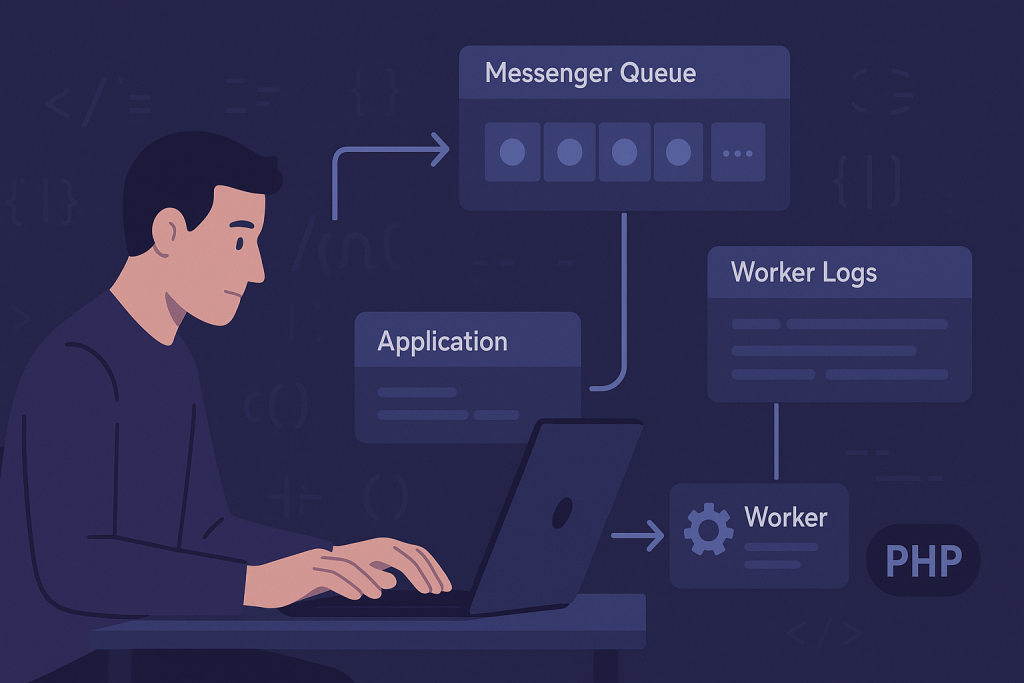
The key distinction is that dispatching a message is not the same as handling it. In an asynchronous Messenger setup, Symfony must route the message to the intended transport, a running worker must consume that transport, and the handler must complete successfully. A break at any point can leave work waiting, failing, or being processed somewhere unexpected.
If production work is blocked and you need a focused investigation rather than a general guide, see Symfony bug fixing help.
Confirm that the message is meant to be asynchronous
Start with the expected behavior. A message can be handled synchronously during the web request or sent to an asynchronous transport for a worker to process later. If the message is handled synchronously, there is no queue consumer to inspect. If it is asynchronous, the request usually finishes before the handler runs.
Review the Messenger routing configuration and identify the message class involved. Make sure the class is routed to the transport you believe it is using. A common source of confusion is a broad routing rule, an environment-specific override, or a class name change that means the message now reaches a different transport than the worker consumes.
It also helps to trace the exact action that dispatches the message. Verify that the relevant code path actually runs in the affected environment. A condition, feature flag, validation failure, or early return may prevent dispatch before Messenger is involved at all.
Check whether messages are accumulating in the transport
Once routing is confirmed, inspect the transport itself. The method depends on the transport in use, such as Doctrine, Redis, Amazon SQS, RabbitMQ, or another queue system. You are looking for a simple answer: are messages arriving and remaining unconsumed?
- Messages are waiting: the worker may be stopped, listening to the wrong transport, unable to connect, or too busy to catch up.
- No messages are waiting: the message may be handled synchronously, routed elsewhere, consumed and failing, or never dispatched.
- Messages repeatedly return: a handler exception, retry policy, timeout, or serialization issue may be causing a retry loop.
Do not purge a live queue simply to make it look clean. Those messages may represent orders, emails, notifications, imports, or other business events. First establish what is in the queue, why it is there, and whether processing it later could cause duplicate actions.
Verify the worker command and its runtime environment
A worker must be running continuously and must consume the correct transport. Check the process command used by your supervisor, system service, container platform, or hosting control panel. A worker that consumes one named transport will not process messages routed to another.
Next, compare the worker environment with the web application environment. Production-only failures often occur because a worker has different environment variables, a different release path, different permissions, or stale cached configuration. The website can dispatch messages correctly while the worker connects to an old database, lacks a required API key, or cannot write to its log location.
Useful checks include:
- Whether the worker process is currently running and restarting after failure.
- Which Messenger transport or transports it consumes.
- Which application environment it uses.
- Whether it runs from the current deployed release.
- Whether its PHP version and extensions match the web runtime where relevant.
- Whether the process user can read configuration and write required files.
A restart after deployment is often necessary, but it should be planned carefully. Long-running PHP workers keep code and configuration in memory. A worker left alive after a release can continue running outdated code even though new web requests use the latest version.
Read logs and inspect failed messages before retrying
When Symfony Messenger is not processing messages, logs often reveal that it actually is processing them—but the handler is throwing an exception. Look at application logs, worker output, process-manager logs, and the failed transport if one is configured.
Pay attention to the first meaningful exception rather than only the final retry message. Typical underlying causes include a missing environment variable, an unavailable database or API, a malformed payload, a type mismatch, an authorization problem, or a service configuration error that only appears when the handler is instantiated.
Retrying without understanding the failure can create extra problems. For example, a handler that creates an external record before failing may not be safe to run again without checking whether the first attempt partially succeeded. Before retrying, determine whether the handler is idempotent: repeated delivery should not produce duplicate charges, duplicate emails, duplicate orders, or repeated side effects.
Check handler registration and dependency resolution
A message can reach a worker but still fail because Symfony cannot find or construct its handler. Confirm that the handler is registered as a Messenger handler and that the message type matches the handler’s expected argument.
Autowiring issues can be especially deceptive in background processing. The web path may never instantiate a particular handler, while the worker does. If the handler depends on an interface with multiple implementations, an unavailable service, a missing parameter, or an environment-specific client, the failure may only appear once a queued message is consumed.
Also check that message and handler changes were deployed together. Deploying a producer that sends a new message shape before the worker code that understands it is available can break processing during the release window.
Investigate serialization and payload compatibility
Asynchronous messages must cross a process boundary. That means the message needs to be serialized when sent and reconstructed when received. Objects that work in a synchronous flow are not always safe to put inside a queue message.
Keep messages small and explicit. Passing entity objects, open resources, closures, framework request objects, or complex service objects can lead to serialization failures or stale data. In many cases, a safer pattern is to send scalar identifiers and simple values, then load current data inside the handler.
Payload compatibility also matters during deployments. If old queued messages contain fields that new code no longer expects, or the new producer sends fields old workers do not understand, jobs can fail after an otherwise normal release. Versioning message formats or maintaining backward-compatible handling can reduce this risk for high-volume or business-critical queues.
Review timeouts, memory limits, and worker restarts
A worker may stop making progress without a clear application-level exception. Long-running handlers can hit process time limits, broker visibility timeouts, memory limits, or platform health checks. The result may look like a message vanishes, returns to the queue, or is handled more than once.
Measure how long the handler normally takes and compare that with configured limits. If a job can legitimately run for several minutes, its timeout settings must accommodate that behavior. If it should take seconds but regularly takes minutes, investigate database queries, external requests, file operations, or unbounded batch work instead of merely increasing limits.
Workers should also have a deliberate restart strategy. Restarting after a controlled number of messages, a time interval, or a memory threshold can prevent gradual memory growth from becoming an outage. The exact settings depend on the workload, so avoid copying generic values into production without observing actual job behavior.
Test the full path safely
A useful test follows one harmless message from dispatch to completion. Use a non-destructive action where possible, then confirm each stage: the application dispatches it, the correct transport receives it, the intended worker consumes it, the handler runs, and the expected result is recorded.
For production issues, preserve evidence before changing multiple variables at once. Record the message class, transport name, approximate dispatch time, worker status, relevant log lines, and deployment version. This makes it much easier to distinguish a queue backlog from a handler failure or an environment mismatch.
When to escalate a Symfony Messenger issue
Escalate quickly when queued work affects payments, fulfilment, customer communications, data synchronization, security events, or a growing production backlog. It is also sensible to get help when retries could create duplicate external actions, when workers fail only after deployment, or when the transport infrastructure is not behaving predictably.
Need a Symfony bug fixed? Include the affected message class, transport, worker command, recent deployment details, timestamps, error output, and whether messages are waiting or failing. That evidence shortens diagnosis and helps protect important queued work while the underlying issue is corrected.