
A PHP fatal error after deployment is one of the clearest signs that the code, dependencies, configuration, or server runtime no longer agree with one another. The application may have worked minutes earlier, but a new release can expose a missing class, incompatible PHP syntax, an unavailable extension, an incorrect environment variable, or a file-loading problem.
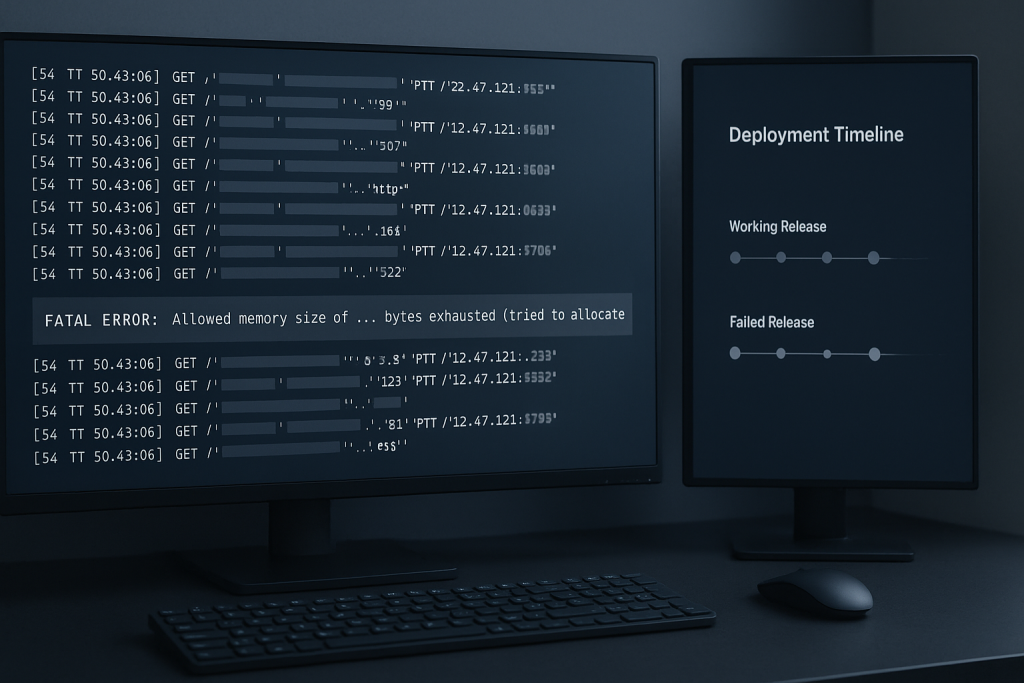
The immediate goal is not to make the error disappear by changing random settings. It is to limit the business impact, preserve evidence, identify what changed, and restore a known-good state or apply a narrowly tested correction. If the failure affects a live application, customer flow, or internal operation and you need direct technical help, see the PHP Bug Fixing service.
What a PHP fatal error after deployment usually looks like
A fatal error stops PHP from completing the request. Depending on how errors are handled, visitors may see an HTTP 500 response, a generic error page, a blank page, or an application-specific failure message. Background jobs, webhooks, scheduled tasks, and API endpoints can fail too, even when the main website appears to load.
Typical messages include:
- Uncaught Error: Class “…” not found
- Call to undefined function …
- Call to a member function … on null
- Allowed memory size exhausted
- Declaration of … must be compatible with …
- Parse error: syntax error, unexpected …
The wording matters, but the timing matters just as much. When the problem begins immediately after a release, start with the release boundary. A deployment is a controlled set of changes; it gives you a useful before-and-after comparison rather than an unlimited list of possible causes.
Stabilize the application before changing more things
First, decide whether the deployment should remain live while you investigate. If essential pages, revenue-generating requests, admin tools, or integrations are failing, a rollback to the previous verified release is often safer than debugging under pressure on production.
A rollback should be deliberate. Confirm which release was live before the incident, whether database migrations were applied, and whether reverting files alone would create a mismatch with the database. If the release included irreversible schema or data changes, pause before rolling back and assess the dependency carefully.
Also avoid these common reactions:
- Do not enable detailed PHP errors for public visitors.
- Do not repeatedly redeploy different untested builds.
- Do not delete caches, vendor directories, or generated files without knowing how the application rebuilds them.
- Do not assume a successful deployment command means the application is healthy.
Keep a short incident record: deployment time, release identifier or commit, affected URLs or commands, first observed error, and any rollback action. This makes the investigation faster and prevents teams from retesting the same assumptions.
Read the exact failure in the right place
Find the most specific error available. Depending on the stack, it may be in the PHP-FPM log, web-server error log, application log, queue-worker output, process manager log, or deployment log. Match the timestamp to an affected request and capture the complete message and stack trace where available.
Do not treat a browser’s generic 500 page as the diagnosis. It only confirms that the request failed. The fatal error message normally identifies the file, line, class, function, or memory condition that stopped execution.
When reviewing a trace, ask three questions:
- What code attempted the failing operation?
- What dependency, configuration value, file, or runtime capability was expected?
- Did the failed release change that expectation?
For example, a “class not found” error might result from an incomplete dependency installation, an autoload mapping that was not regenerated, a filename case mismatch that only appears on Linux, or code deployed before the package it relies on.
Compare the failed release with the last working release
The safest troubleshooting path is usually comparison, not guesswork. Review the code and deployment changes between the last working release and the broken one. Prioritize changes to dependencies, PHP version requirements, bootstrap files, configuration handling, autoloading, and deployment scripts.
Useful comparisons include:
- Dependency files: Did composer.json or composer.lock change? Was the lock file deployed and installed consistently?
- Runtime requirements: Does the new code require a newer PHP version or PHP extension than production provides?
- Environment variables: Did a newly required setting fail to reach the web process, worker, or cron environment?
- Build output: Were generated files, compiled containers, caches, or assets created for the correct environment?
- File layout: Did the deployment omit a directory, use incorrect permissions, or leave a mixed set of old and new files?
- Database changes: Does the code expect a new table, column, index, or data migration that did not complete?
Check what was actually deployed, not only what the pipeline intended to deploy. A partial upload, failed Composer install, incorrect release symlink, or deployment executed as the wrong server user can produce a production state that cannot be reproduced from the repository alone.
Check PHP version and extension compatibility
PHP compatibility issues frequently appear at deployment time because a code update begins using syntax, functions, or library versions that the server cannot support. Verify the PHP version used by the affected web request or worker process, rather than relying solely on the version displayed in an SSH shell.
Also compare enabled extensions with the application’s requirements. Missing extensions can surface as undefined functions or unavailable classes, especially for database drivers, image handling, internationalization, XML processing, caching, or encryption-related features.
One subtle issue is that command-line PHP and PHP-FPM may use different versions or configuration files. A deployment task can complete successfully on the command line while the web application fails under FPM. Confirm the runtime for each affected entry point: web requests, CLI commands, queue workers, and scheduled jobs.
Verify dependency installation and autoloading
When the error mentions a missing class or interface, investigate Composer and autoloading before changing application code. Ensure the release contains the expected vendor directory when the deployment model requires it, and ensure dependencies were installed from the lock file appropriate to that release.
Common deployment mistakes include installing dependencies in a build workspace but not shipping them to the release, reusing a stale vendor directory, running Composer with incompatible platform settings, or deploying code that references a package absent from the lock file.
Case sensitivity deserves special attention. A class reference or filename that works on a case-insensitive development machine may fail on a Linux server. Namespace spelling, directory names, and PSR-4 paths must match exactly.
Test the smallest safe correction
Once the likely cause is known, make one focused change and test it in a staging environment that is close to production. Reproduce the affected request, command, webhook, or job—not just the homepage. If checkout, API communication, reporting, or background processing failed, validate that exact flow.
A good verification sequence is:
- Confirm the fatal error no longer appears in the relevant logs.
- Repeat the action that previously failed.
- Check related application logs for secondary exceptions or warnings.
- Verify that workers, cron jobs, and integrations recover where relevant.
- Monitor the live deployment after release for recurring errors.
Document the underlying cause and the release safeguard that would have caught it: a PHP version check, dependency validation, smoke test, health check, migration gate, or rollback procedure. Fixing the immediate exception is valuable; preventing the same deployment failure is better.
When a post-deployment fatal error needs urgent help
Escalate quickly when the application is unavailable, orders or payments cannot complete, a business-critical integration is failing, or there is uncertainty about rolling back migrations and data changes. These incidents can become more difficult when several people make simultaneous production changes.
For a broad outage requiring rapid containment, emergency website bug fixing may be the right route. For a contained PHP regression that needs careful tracing, a reproducible fix, and verification, PHP-focused troubleshooting can isolate the failing release change without unnecessary rewrites.
Frequently asked questions
Can a PHP fatal error happen even when the deployment reports success?
Yes. A deployment process may successfully copy files or switch releases while the application still fails at runtime. Missing environment variables, PHP-FPM differences, incomplete dependencies, database migration issues, and unavailable extensions may only appear when a real request or worker runs.
Should I turn on PHP display_errors to find the issue?
Not on a public production site. Displaying errors can reveal filesystem paths, library versions, or application details. Use protected logs and controlled diagnostics instead.
Can this happen without a framework?
Yes. Custom PHP applications can fail after deployment for the same core reasons: incompatible PHP versions, missing files, incorrect include paths, changed configuration, dependency problems, and permissions or process differences.
What should I provide when asking for help?
Provide the exact error message, affected URL or command, deployment time, recent release changes, PHP version, relevant log excerpt, and whether a rollback is possible. This gives a troubleshooter a clear starting point while reducing risky trial-and-error changes.