
Magento indexer stuck issues can leave a store showing old prices, missing products, incorrect category assignments, or stale search results. In some cases, the storefront continues to load normally while the underlying catalog data no longer updates. That makes indexer failures easy to miss until customers report a problem or a merchandising change does not appear as expected.
The safest response is not to repeatedly run every reindex command or clear every cache. First, establish which indexer is affected, whether it is actually running, and what changed around the time the issue began. If the failure is affecting revenue-critical pricing, stock visibility, or a major catalog change, professional Magento Bug Fixing can help trace the cause without turning a contained issue into a wider production incident.
What it means when a Magento indexer is stuck
Magento uses indexers to transform source data into forms that can be served efficiently on the storefront. For example, changes to products, categories, prices, inventory, and customer-related rules may require indexed data to be refreshed before customers see the intended result.
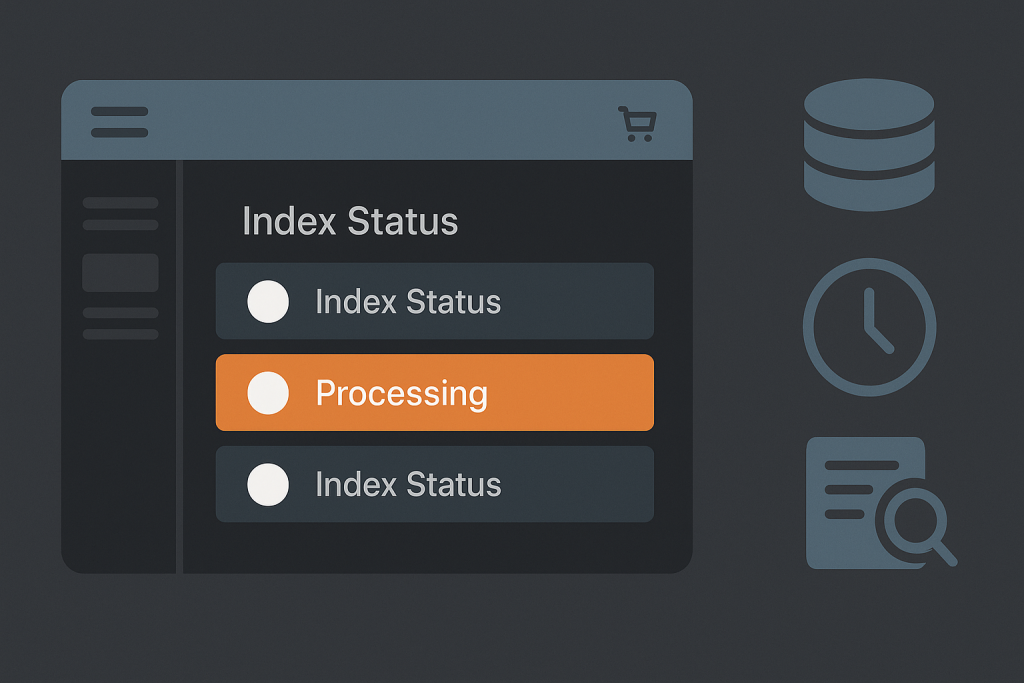
An indexer may be described as “stuck” when it remains in a processing state, repeatedly reports invalid status, fails part way through reindexing, or completes without the expected storefront changes appearing. The visible symptom is not always the root cause. A slow database query, cron failure, locked table, failed deployment, incompatible extension, lack of disk space, or a PHP error during an indexing process can all produce similar outcomes.
Common signs of a Magento indexer problem
- New or edited products do not appear on category pages.
- Price changes, special prices, or catalog rules are not visible to customers.
- Search results do not reflect recent product updates.
- The Magento admin shows one or more indexers as invalid or processing for an unusually long time.
- A command-line reindex returns an error, stops unexpectedly, or appears never to finish.
- Scheduled indexing does not keep up with normal catalog activity.
- Only some store views, websites, or customer groups show outdated data.
Before assuming the indexer itself is broken, confirm the affected area. For instance, a product that is not visible may be disabled, out of stock, assigned to the wrong website, excluded by visibility settings, or blocked by cache or CDN behaviour. The indexer is only one part of the path from an admin change to a storefront result.
Check the indexer status first
Start in the Magento admin index management area or use the command line if that is part of the normal operating workflow. Identify the exact indexer with an abnormal state rather than treating all indexers as faulty. Record whether it is marked valid, invalid, working, or suspended, and note the time of the last successful update if available.
This distinction matters. An invalid indexer may simply need a successful scheduled or manual refresh. A permanently processing indexer suggests that a prior run did not finish cleanly. A command that fails with a specific exception provides a more useful starting point than a generic attempt to rerun everything.
Also verify the indexing mode. Magento installations commonly use an update-on-save approach, a scheduled approach, or a mix chosen for operational reasons. A store configured for scheduled updates depends on cron executing consistently. Changing the mode as a quick fix may mask the actual cron, performance, or extension issue and can create extra load on a busy admin workflow.
Review cron before forcing a reindex
Magento cron is essential for many background tasks, including scheduled indexing. When cron is delayed, disabled, misconfigured, or failing due to server-level restrictions, indexers can remain behind even though the Magento admin looks usable.
Check whether scheduled tasks are being created and completed at expected intervals. Review Magento cron-related logs and the server scheduler configuration where appropriate. Look for a pattern: did failures start after a deployment, PHP version change, hosting migration, permissions adjustment, or new extension installation?
A common mistake is to launch multiple reindex jobs while an existing process is still active. Concurrent work can increase database pressure and complicate diagnosis. Confirm whether a legitimate indexing process is already running before starting another one. If production traffic is high, plan the work around the impact of catalog size and database load.
Read the error logs and command output
Logs and command output are usually more valuable than a browser error message. A reindex failure may reveal a missing database column, invalid data introduced by an import, a PHP memory exhaustion message, a search service connection issue, a permissions problem, or a custom module exception.
Capture the full error, including the indexer name, stack trace where available, time of failure, and the command or action that triggered it. Then compare that timing with recent changes. Useful questions include:
- Was Magento, PHP, MySQL, Elasticsearch/OpenSearch, or a module updated?
- Did an import, ERP sync, product feed, or bulk price update run shortly before the problem?
- Were cron jobs changed or moved to a different user account?
- Is the server low on disk space, memory, or available database capacity?
- Do errors affect one indexer or several unrelated background processes?
Do not expose detailed stack traces or enable public developer output on a live storefront. Error information should be reviewed through secure admin, server, or application access.
Consider database locks and resource limits
Large catalogs and high write activity can make indexing resource-intensive. A job may appear stuck when it is waiting on a database lock, progressing extremely slowly, or competing with imports, backups, reporting queries, and other background work.
Database investigation should be deliberate. Ending processes or manually altering index tables without understanding their role can cause further inconsistency. A technical review may need to examine active queries, lock waits, database error logs, table growth, available storage, and the timing of external integrations.
Memory limits and execution settings can matter too, but increasing them blindly is not a durable repair. If an indexer suddenly needs far more resources than before, investigate the triggering data volume, customisation, or inefficient query pattern.
Verify the storefront result after recovery
A successful command is not the final test. After an indexer recovers, verify the customer-facing outcome in the relevant store view. Check a controlled sample of products, categories, prices, search results, and customer-group-specific behaviour where relevant. Then account for full-page cache and CDN cache, which can continue serving stale pages after indexed data is correct.
Use a documented before-and-after example whenever possible: a specific SKU, expected price, assigned category, or search term. This avoids declaring the issue fixed merely because an index status changed.
When a stuck indexer needs urgent help
Escalate quickly when stale index data causes incorrect prices, hides a significant part of the catalog, disrupts a campaign launch, creates inventory visibility issues, or prevents orders from completing as intended. If the store is down or a critical customer path is failing, Emergency Website Bug Fixing is the more appropriate route.
For a contained but persistent Magento indexer issue, provide the affected indexer name, Magento edition and version, the exact error text, recent change history, indexing mode, and the business effect. Those details shorten the path from symptom to a safe fix.
Frequently asked questions
Do you support Magento Open Source and Commerce?
Magento indexer troubleshooting can apply to both Magento Open Source and Adobe Commerce installations. The exact investigation depends on the version, infrastructure, custom modules, integrations, and the indexer involved.
What about Magento 1?
Magento 1 indexing behaviour and its surrounding ecosystem differ from Magento 2. Any work should begin with a careful review of the installed version, extensions, PHP compatibility, hosting environment, and the risk of making changes on a legacy production store.
Can I simply clear cache to fix an indexer?
Cache clearing can make newly indexed data visible, but it does not repair a failed index process, broken cron schedule, database lock, or code exception. Treat cache as one verification layer, not the default diagnosis.
Need a Magento bug fixed?
If a Magento indexer remains stuck, fails repeatedly, or leaves live catalog data incorrect, collect the error details and describe the impact. Focused troubleshooting is safer than repeated trial-and-error changes in production.