
When Magento checkout not working affects a live store, the visible symptom rarely tells the whole story. A customer may click “Place Order” and see a spinner that never finishes, receive a generic error, lose the cart, find that no payment methods are available, or return from a payment provider without an order.
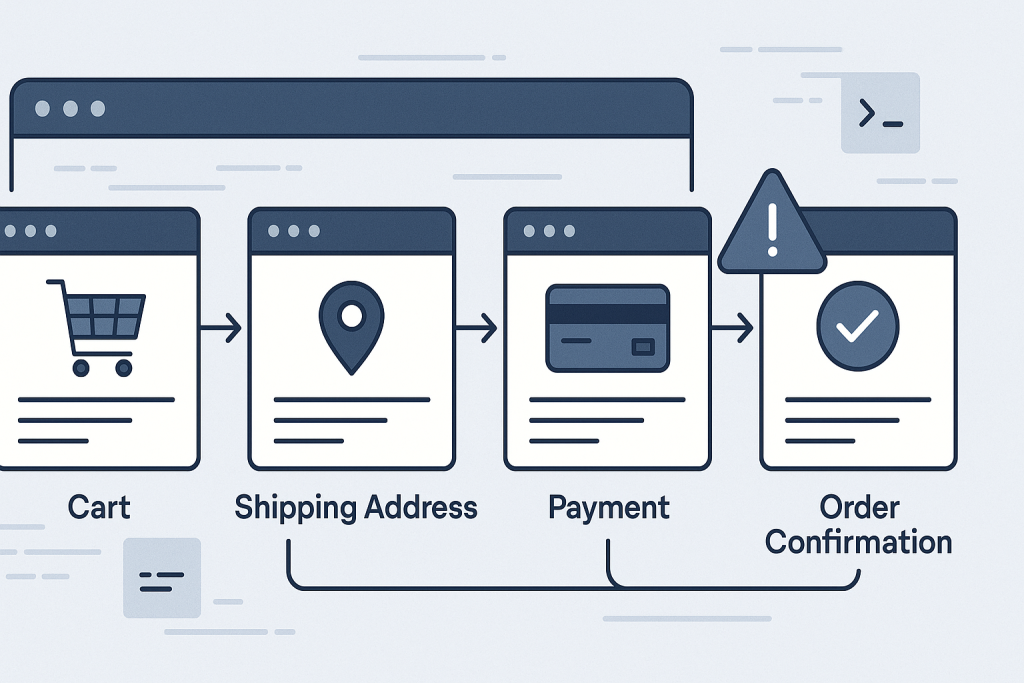
These are different failure points in one transaction flow. Treating them as the same problem can lead to risky changes in production, such as clearing every cache, disabling unrelated modules, or changing payment settings without evidence. A safer approach is to identify exactly where the checkout stops, gather a small amount of useful evidence, and test changes in a controlled order.
If the issue is already causing lost orders and needs direct investigation, see Magento Bug Fixing. For a store outage or a severe revenue-critical incident, Emergency Website Bug Fixing may be the more appropriate route.
First, define what “Magento checkout not working” means
Before changing configuration or code, reproduce the problem and write down the exact step where it occurs. Test as a guest if guest checkout is enabled, and test with a normal customer account if relevant. Use a non-production payment method or a safely controlled test transaction where possible.
Common failure points include:
- The cart page does not proceed to checkout.
- The checkout page loads but shipping methods do not appear.
- Payment methods are missing, disabled, or reject selection.
- The “Place Order” button does nothing or remains loading.
- The payment provider redirects back, but Magento shows an error or no order is created.
- An order is created but email, invoice, stock, or payment status is wrong.
- The problem affects only certain countries, products, customer groups, or browsers.
This scope matters. A checkout issue that affects every shopper after a deployment points in a different direction from one that affects only a shipping region or one payment method.
Check the browser request before guessing
Many checkout failures occur after the page itself has loaded. The useful clue is often in the browser developer tools rather than in the visible error message. Open the Network tab, repeat the checkout action, and look for failed XHR or fetch requests around shipping selection, payment information, or order placement.
Record the request URL, response status, and a short copy of the response body. Typical signals include:
- 400 or 422 responses: invalid or incomplete checkout data, address validation, totals, or payment payload problems.
- 401 or 403 responses: expired customer session, form-key trouble, CSRF protection, or access-control problems.
- 500 responses: a server-side exception that should be traced in Magento and server logs.
- JavaScript errors: a frontend component, custom theme override, third-party script, or stale static asset may be preventing checkout JavaScript from continuing.
A JavaScript error can make the button appear broken even when the backend is healthy. Conversely, a successful-looking click can still fail on the server. Checking both the console and the request response helps avoid confusing these cases.
Magento checkout depends on a consistent customer session and quote. When the cart disappears, addresses do not save, or checkout behaves differently between browsers, session handling is worth checking early.
Test in a private browser window after clearing site cookies. Compare the result on another browser and, if practical, another network. This does not prove that caching is the cause, but it can reveal whether stale browser state or a cookie-related issue is involved.
Also consider changes to the site URL, HTTPS enforcement, reverse proxy, CDN, load balancer, or cookie domain. A mismatch between the customer-facing domain and Magento’s configured base URLs can interfere with secure cookies and redirects. In multi-server environments, session storage and proxy configuration need to work consistently across requests.
Do not flush caches simply as a default response. Cache flushing can briefly increase load and may hide the conditions needed to diagnose the issue. If cache or generated static content is suspected after a release, document the current state, use the normal deployment process, and verify the fix with a real checkout path.
Separate shipping and totals issues from payment issues
Checkout is not only a payment form. Magento must build a valid quote, calculate totals, resolve shipping availability, apply tax and discounts, and validate the selected payment method before it can place an order.
If shipping methods are missing, start with the affected address and cart contents. Check whether the issue occurs with a simple product versus a virtual product, a domestic versus international address, or a cart above a free-shipping threshold. Shipping rules, carrier API responses, product weight data, customer group rules, and custom delivery extensions can all change the result.
If the total is wrong or checkout rejects the order after a coupon is applied, focus on quote totals and custom pricing logic. A discount, tax extension, store credit feature, gift-card module, or custom observer may alter values that the payment gateway expects. Reproducing with a plain product and no discount is a useful comparison test; it narrows the investigation without disabling the entire store.
Investigate payment gateway failures at both ends
When a payment method is visible but payment fails, distinguish between Magento declining to send the request and the provider declining it. Gateway dashboards or transaction logs may show an authentication error, signature mismatch, invalid amount, rejected currency, callback failure, or fraud-rule decision.
Check whether API credentials, webhook endpoints, signing keys, allowed return URLs, or sandbox/live mode settings changed recently. A deployment can also expose an older integration that no longer matches the gateway’s current requirements.
Never paste secret keys, full card data, or unredacted authorization headers into a support ticket, log, or screenshot. Share timestamps, masked transaction IDs, error codes, and relevant request context instead. That is normally sufficient to correlate Magento logs with provider-side records.
Read Magento logs alongside server logs
A generic checkout error is usually not the actionable error. Review the Magento exception and system logs around the exact test time, then compare them with PHP-FPM, web server, database, and integration logs where available. Look for the first meaningful exception, not just the final message shown to the shopper.
Useful patterns include class or method errors after an extension update, database deadlocks during order placement, missing configuration values, failed API connections, PHP memory exhaustion, and permission errors involving generated files or temporary directories.
Be careful with production debugging. Do not expose stack traces or enable public developer output for customers. Capture evidence privately, limit access to logs, and return the store to its intended production configuration after testing.
Compare recent changes and use a controlled rollback decision
Ask what changed shortly before checkout began failing: a Magento or PHP upgrade, extension installation, theme deployment, payment-provider setting change, server migration, CDN rule, database change, or security patch. Timing does not prove causation, but it gives the investigation a sensible starting point.
If a recent release clearly introduced the issue, a targeted rollback may be safer than attempting several unproven edits on a live checkout. Confirm what code, configuration, and database changes were included first. A partial rollback can create a second problem if code and schema changes are no longer compatible.
Where staging is available, reproduce the checkout with production-like configuration and sanitized data. Test one hypothesis at a time: for example, a payment module version, a theme override, or a shipping configuration change. Keep a record of the test, result, and rollback path.
Verify the complete order lifecycle after the fix
A successful click is not enough to confirm recovery. After Magento checkout is working again, test a complete order path appropriate to the store: add product, apply shipping and tax rules, select payment, place the order, confirm the order confirmation page, verify the order in admin, and check the payment provider result.
Also verify stock adjustment, transactional email, invoices where applicable, and any ERP, fulfilment, or analytics integrations. Monitor errors and abandoned checkout behaviour after release. A fix that works for one test case but fails for logged-in customers, particular regions, or one payment method is not a complete resolution.
When to bring in Magento checkout help
Escalate promptly when shoppers cannot place orders, payment is being captured without reliable order creation, errors are intermittent under load, or the cause crosses custom modules, server configuration, and third-party services. Provide the affected URL, timeframe, exact symptom, recent changes, browser request details, masked gateway references, and relevant log excerpts. That evidence shortens the path from symptom to a safe fix.
Frequently asked questions
Why does Magento checkout keep loading after I click Place Order?
An endless loading state can result from a JavaScript exception, a failed background request, session expiry, or a server-side error. Check the browser console and Network tab, then match the failed request timestamp to Magento logs.
Can a Magento extension break checkout?
Yes. Payment, shipping, tax, promotions, fraud prevention, and theme extensions often interact with checkout data. The safest approach is to identify the failing request and compare recent extension or configuration changes before disabling anything in production.
Why is a payment method missing in Magento checkout?
Payment availability can depend on store view, currency, country, customer group, cart total, shipping address, and module configuration. Test the same cart with a known address and review the method’s conditions and logs.
Is it safe to clear Magento cache when checkout is broken?
It can be appropriate after a documented deployment or configuration correction, but it should not replace diagnosis. Record the symptom and logs first, then use the normal operational process and retest checkout afterward.