
How often should a website be maintained? For most business websites, the answer is not “once in a while” or “only when something breaks.” A sensible approach combines light weekly checks, planned monthly maintenance, deeper quarterly reviews, and extra attention whenever the website changes.
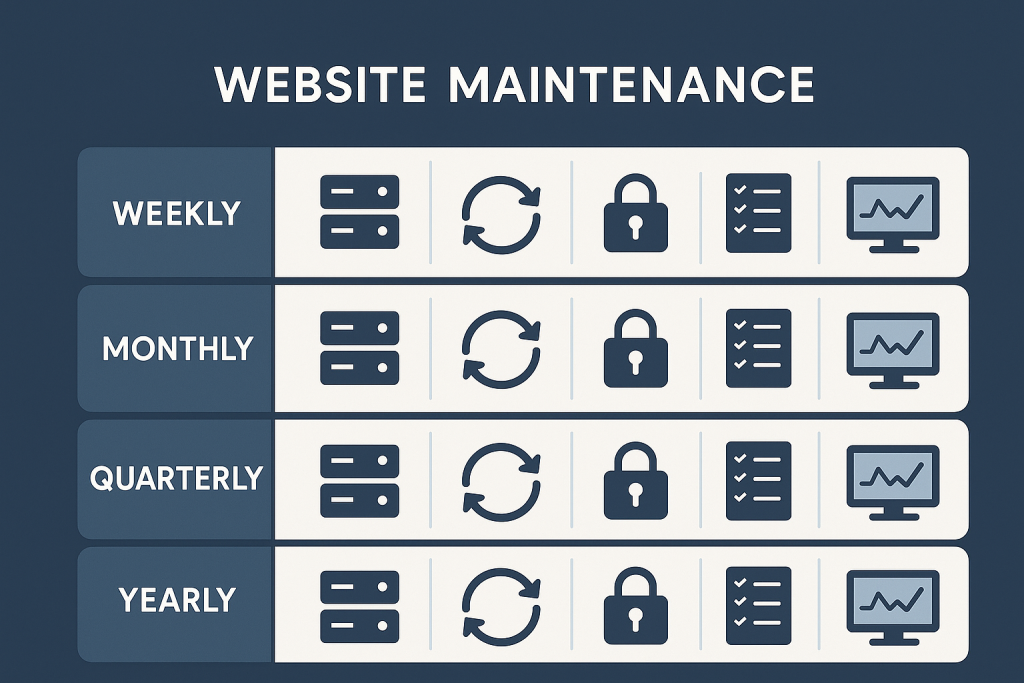
The exact schedule depends on the site. A brochure site with a contact form has different risks from a WooCommerce store processing orders every day. But every PHP-based website, WordPress site, and online store benefits from a repeatable routine. The goal is not to make changes constantly. It is to spot problems early, make controlled updates, and confirm that the site can recover if something goes wrong.
If you would rather have a technical contact manage that rhythm, Website Maintenance Support provides ongoing help with checks, updates, small fixes, backup review, and stability work.
Why website maintenance needs a schedule
Websites do not remain static, even when their owners are not actively editing pages. WordPress core, plugins, themes, server software, PHP versions, browser behavior, payment services, and third-party APIs can all change. A site may continue to look normal while a less visible function becomes unreliable.
A schedule turns maintenance from a reaction into a process. Instead of discovering that backups were not running after a failure, you review them before there is an urgent problem. Instead of applying a long list of updates without context, you review changes in manageable batches and test the functions that matter.
Consistency is more important than excessive frequency. A short, documented monthly review is generally more useful than an ambitious plan that is never followed.
A practical website maintenance frequency
Weekly: check important website functions
Weekly checks are most useful for sites with regular enquiries, customer accounts, bookings, payments, or content activity. They should be quick and focused on whether the website is working as intended.
- Open key public pages on desktop and mobile.
- Confirm that contact forms, lead notifications, and confirmation messages arrive correctly.
- For stores, test the cart and checkout path without placing unnecessary live orders.
- Review obvious error notifications from hosting, monitoring, or form tools.
- Check that scheduled tasks, imports, or integrations have not silently stopped.
A small marketing site may only need these checks every two weeks. A busy WooCommerce store may need them several times a week, particularly after promotions, catalogue changes, or payment-provider changes.
Monthly: review updates, security hygiene, and backups
Monthly is a practical baseline for planned maintenance on many WordPress and PHP websites. This is the point to review available updates and apply those that are appropriate for the site, rather than allowing a large backlog to build up.
Before making changes, note the current state of the site and make sure a usable backup exists. Apply updates in a controlled order, then test the areas most likely to be affected. For a WordPress site, this often includes the front end, the admin area, forms, search, and any custom functionality. For a store, it should include product pages, cart behavior, checkout, payment options, order emails, tax, and shipping calculations where relevant.
Monthly maintenance is also a good time to review inactive plugins, unused themes, old user accounts, and access that is no longer needed. Reducing unnecessary components and permissions lowers the number of things that can cause trouble later.
Quarterly: perform a deeper technical review
A quarterly review looks beyond the latest update notifications. It is a chance to assess whether the website is still supportable and whether small weaknesses are accumulating.
- Review backup retention, storage location, and restore procedures.
- Check whether the hosting environment and PHP version remain appropriate for the site.
- Review plugin and theme dependencies, especially abandoned or duplicate tools.
- Look for recurring errors, failed scheduled tasks, or integration warnings.
- Confirm that key business flows still work from start to finish.
- Identify improvements that can be planned before they become urgent work.
Quarterly work is particularly valuable for sites with custom code. A custom integration may work today but rely on an API, plugin, or server behavior that is gradually changing. Reviewing it periodically gives you time to plan instead of rushing through a repair after a failure.
Yearly: review ownership, costs, and longer-term risk
At least once a year, review the wider setup. Confirm who owns the domain, hosting account, analytics, email service, payment accounts, and premium plugin licences. Make sure renewal notices go to a monitored email address and that former staff or suppliers do not retain unnecessary access.
This is also a useful time to consider larger changes, such as a PHP upgrade, a hosting move, replacing an unsupported plugin, or improving an ageing custom feature. These are not routine maintenance tasks, but planning them early makes them safer and easier to budget for.
Maintain more often when the website has higher risk
A generic schedule is a starting point, not a rule. Increase the maintenance frequency when a website has a higher cost of failure or changes often.
More frequent attention is usually appropriate when the site:
- Processes payments, orders, bookings, or sensitive customer data.
- Uses several plugins, extensions, integrations, or custom code.
- Receives frequent content, product, or catalogue updates.
- Depends on forms or lead-generation workflows for revenue.
- Has a history of update conflicts, hosting issues, or unreliable backups.
- Runs campaigns, seasonal sales, or time-sensitive events.
For example, a small professional-services site could follow a monthly maintenance routine with a quarterly technical review. A growing store may need weekly operational checks, a monthly update window, and a deeper review every quarter. The point is to match the effort to the consequences of an unnoticed issue.
Use event-driven maintenance as well
Some maintenance should happen because an event occurred, not because a date arrived. After a major plugin installation, design change, server move, payment-gateway change, or large content import, test the affected workflow promptly.
The same applies when you receive a security notice, a service provider announces an API change, or a host schedules a PHP version update. Do not wait for the next routine window if the change could affect a critical function. Assess the impact, make a backup, and test deliberately.
Event-driven checks are not the same as chasing every notification. The objective is to respond proportionately to changes that affect the particular site.
What should not be treated as routine maintenance
Routine maintenance is preventive and planned. A site that is down, has a broken checkout, exposes an error to visitors, or cannot be administered may need focused troubleshooting instead. In that situation, avoid making a series of random changes just to see what works. Record what changed, preserve useful error information, and investigate the specific failed path.
Likewise, a persistent speed issue may require analysis and targeted optimization rather than another round of general updates. Keeping those work types separate helps you set clear priorities and avoids masking the real cause of a problem.
How to make the schedule sustainable
Start with a small routine that can actually be completed. Keep a simple maintenance log containing the date, changes made, backup status, test results, and unresolved follow-up items. This gives useful context when an issue appears months later and prevents the same checks from being forgotten.
Create a short list of critical user journeys for your site. For a service business, that may be visiting the homepage, submitting the main contact form, and receiving the enquiry. For a store, it may be finding a product, adding it to the cart, selecting shipping, paying, and receiving an order email. Test these journeys after meaningful changes rather than relying only on the fact that the homepage loads.
For a task-level reference, use this website maintenance checklist for WordPress and WooCommerce. Use it to support your schedule, not as a reason to perform every task at the same interval.
Want ongoing support for your website or store?
Ongoing maintenance works best when someone understands the website’s priorities, records what has changed, and can distinguish a routine update from a potentially disruptive one. If maintaining backups, updates, checks, and small technical fixes is difficult to fit around your work, a structured support arrangement can provide the consistency the website needs.
In short, maintain a website lightly and regularly, review it more deeply every few months, and respond promptly to meaningful changes. That cadence reduces avoidable surprises without turning maintenance into unnecessary activity.