
Laravel scheduled tasks not running can cause quiet but serious production problems. Reports stop arriving, cleanup jobs do not run, subscription actions are delayed, integrations fall behind, or scheduled commands never dispatch their expected work. Because the site may still load normally, a scheduler failure can remain unnoticed until it affects customers or operations.
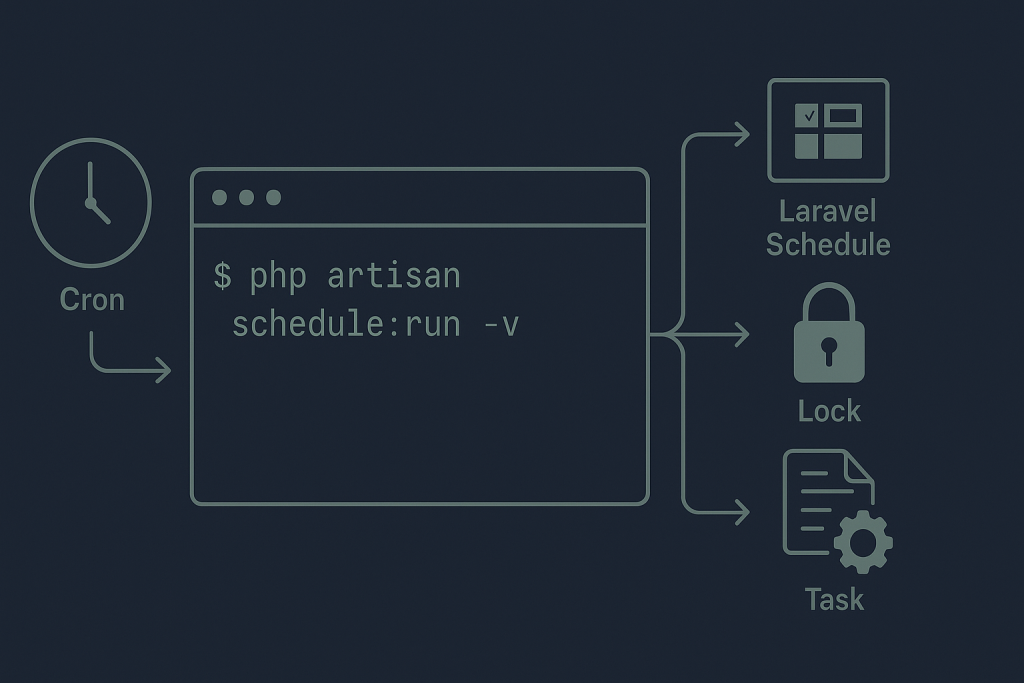
The safest approach is to trace the whole execution chain: the server must invoke Laravel’s scheduler, Laravel must load the expected application and environment, the task must be due, and the task itself must complete successfully. If the failure is affecting a live application and you need a focused investigation, see Laravel Bug Fixing.
Understand what Laravel’s scheduler actually does
Laravel does not run scheduled tasks by itself merely because they are defined in application code. In a typical deployment, the server’s cron service runs a command once per minute:
* * * * * cd /path/to/application && php artisan schedule:run >> /dev/null 2>&1
That command boots the application and checks whether any tasks are due. Laravel then runs due commands, closures, or queued work defined in the application schedule. A failure can therefore exist at several layers:
- The operating system cron service is disabled, misconfigured, or running under the wrong user.
- The cron command points to the wrong release directory or PHP binary.
- The application schedule does not contain the expected task in the deployed version.
- Environment variables, permissions, a lock, or a timezone prevent the task from running.
- The scheduler runs, but the underlying command fails.
This is also different from a queue worker issue. The scheduler decides when a command or job should be triggered. A queue worker processes jobs after they have been dispatched. If a scheduled command dispatches a job but no worker consumes it, both systems may need attention—but they are separate checks.
Confirm that the schedule includes the task
Start at the application layer. Review the schedule definition in the location used by your Laravel version and application structure. Confirm that the command, job, or callback is actually registered and that its frequency is what you expect.
On a server or staging environment, run:
php artisan schedule:list
This command is useful because it shows Laravel’s current view of scheduled events and their next due times. If the expected task is absent, likely causes include:
- The schedule definition was changed locally but not deployed.
- The relevant service provider or scheduling route is not loaded in production.
- A conditional schedule rule prevents registration in the production environment.
- The command signature has changed while the schedule still references the old one.
- The application is booting a different code release than expected.
Do not assume that code visible in a repository is the same code used by cron. Deployment paths, release symlinks, containers, and multiple server instances can all make that assumption wrong.
Run the scheduler manually and capture the output
Next, run the scheduler manually as the same system user that cron should use. Avoid suppressing output while diagnosing:
cd /path/to/application
php artisan schedule:run -v
If a task is due, Laravel should report activity or reveal an error. If it says that no scheduled commands are ready to run, check the task’s frequency, server clock, application timezone, and whether a mutex is blocking execution.
Manual execution is a diagnostic step, not proof that cron is healthy. A command can work in an interactive shell but fail under cron because cron has a minimal environment. It may use a different PHP version, lack expected PATH entries, use another working directory, or run as a user without access to application files.
Inspect the cron entry, user, and PHP path
Review the cron entry belonging to the deployment user. The exact command varies by hosting setup, but it should use an absolute application path and a deliberate PHP binary path where possible. For example:
* * * * * cd /var/www/example/current && /usr/bin/php artisan schedule:run >> /var/www/example/current/storage/logs/scheduler.log 2>&1
During diagnosis, writing output to a temporary scheduler log is often more useful than redirecting everything to /dev/null. Once the issue is understood, choose logging and monitoring appropriate for the application.
Check these points carefully:
- Correct user: Cron should run as a user that can read the application, write required Laravel directories, and access any relevant credentials.
- Correct release path: A deployment that changes a current symlink can leave cron pointing to an old or deleted release.
- Correct PHP executable: Command-line PHP may differ from the PHP version used by the web server.
- Working directory: Running Artisan outside the Laravel project root can produce misleading failures.
- Cron service: On managed hosting or containers, standard system cron may not be available or may be replaced by platform-specific scheduling.
Also check the system’s cron logs or service status where your hosting environment exposes them. A missing execution record points to a trigger problem; an execution record followed by an application error points further down the chain.
Check production environment and cached configuration
Scheduled tasks can behave differently from web requests because they are launched from the command line. Confirm that the scheduler is loading the intended production environment and configuration.
Pay particular attention to database, mail, API, filesystem, and queue settings used only by the scheduled task. A task may appear not to run when it actually starts and immediately fails due to missing credentials, an unreachable service, or a configuration value that differs from the web process.
After a controlled deployment, stale cached configuration can also preserve values that no longer match the deployed environment. Review the deployment process before clearing or rebuilding caches. Cache commands can have operational consequences, especially on busy applications, so perform them in a planned manner and verify the result afterward.
Look for overlapping locks and long-running tasks
Laravel offers safeguards such as withoutOverlapping() and onOneServer(). They prevent duplicate execution, but a stale or long-lived lock can make a schedule appear broken.
If a task runs for longer than its interval, a no-overlap rule may correctly prevent the next execution. Investigate why the earlier run is slow before removing the safeguard. Database contention, a slow API, an oversized batch, or a downstream queue backlog can be the real cause.
In multi-server deployments, single-server scheduling also depends on shared cache or lock infrastructure being configured correctly. If each server has isolated cache state, or if the cache backend is unavailable, coordination may not work as intended. Treat lock cleanup carefully: deleting a lock without confirming whether a real process is still running can create duplicate processing.
Verify timezones and due-time assumptions
Timezone mistakes are common when a task seems to run at the wrong time rather than never. Compare the server clock, PHP timezone, Laravel application timezone, and any timezone specified directly on the scheduled event.
Daylight-saving transitions deserve special attention. A task scheduled for a local clock time may run differently around a clock change, depending on the application’s timezone strategy. For business-critical work, record the expected time zone explicitly and verify behavior in logs rather than relying on assumptions.
Trace failures inside the scheduled command
When schedule:run fires the event but the expected outcome is missing, test the underlying command separately. Run the command with suitable verbosity in a safe environment, then inspect Laravel logs and any task-specific logs.
Useful evidence includes the exact command, timestamp, deployment version, server name, exit status, exception message, and the affected record or integration response. Add clear task-level logging around significant start, completion, and failure points if it is missing. Avoid logging secrets, access tokens, passwords, or full personal data.
If the scheduled task dispatches queued jobs, verify the handoff: did the job enter the correct queue, is a worker running, and are failed jobs accumulating? The scheduler can be healthy while the queue side is not.
A safe order for fixing a Laravel scheduler issue
- Identify the business effect and the last known successful run.
- Use schedule:list to confirm the expected event is registered.
- Run schedule:run -v manually as the relevant user.
- Check cron execution, absolute paths, PHP binary, and deployment release paths.
- Review application, scheduler, and system logs for the same time window.
- Check environment configuration, permissions, timezones, and overlap locks.
- Test the underlying command or queued handoff without creating duplicate business actions.
- Verify the next real scheduled run and monitor the intended outcome.
Avoid repeatedly forcing commands in production just to see whether they work. Tasks that bill customers, send notifications, synchronize stock, or alter records can produce duplicate side effects. Establish what the task does and whether it is idempotent before rerunning it.
When to get help
Escalate promptly if missed tasks affect payments, customer communication, data integrity, regulatory deadlines, inventory, or a critical integration. A good investigation needs the schedule definition, cron configuration, relevant logs, recent deployment details, and a clear description of the expected outcome.
Need a Laravel bug fixed? Provide the task name, when it last ran successfully, what changed recently, and any error output. For applications built on Laravel’s smaller framework variant, this Lumen bug fixing guide covers a related production-diagnosis approach.
Frequently asked questions
Why are Laravel scheduled tasks not running when cron is configured?
The cron command may be using the wrong path, user, PHP binary, or environment. It may also be firing correctly while Laravel finds no due tasks, a lock blocks execution, or the scheduled command fails internally.
Can a Laravel scheduler issue be caused by a deployment?
Yes. Common deployment-related causes include cron pointing to an old release, changed environment variables, stale configuration caches, altered permissions, or a schedule definition that was not included in the deployed code.
Do you work with Lumen or Laravel-based CMSs?
Issues in Lumen and Laravel-based applications can often be investigated using the same evidence-led process: confirm the trigger, trace application execution, isolate the failing dependency, and verify the fix safely.
Is a scheduled task problem the same as a queue worker problem?
No. The scheduler triggers work at defined times, while queue workers process queued jobs. A scheduled task may dispatch a job successfully even when no worker is available to process it.