
A Sylius state machine transition failed error can stop a sale at an awkward point: checkout appears complete but no order is created, a paid order remains stuck in processing, or an administrator cannot ship an item that is ready to leave the warehouse. These failures are frustrating because the visible message often describes the final symptom, not the rule, listener, or integration that prevented the transition.
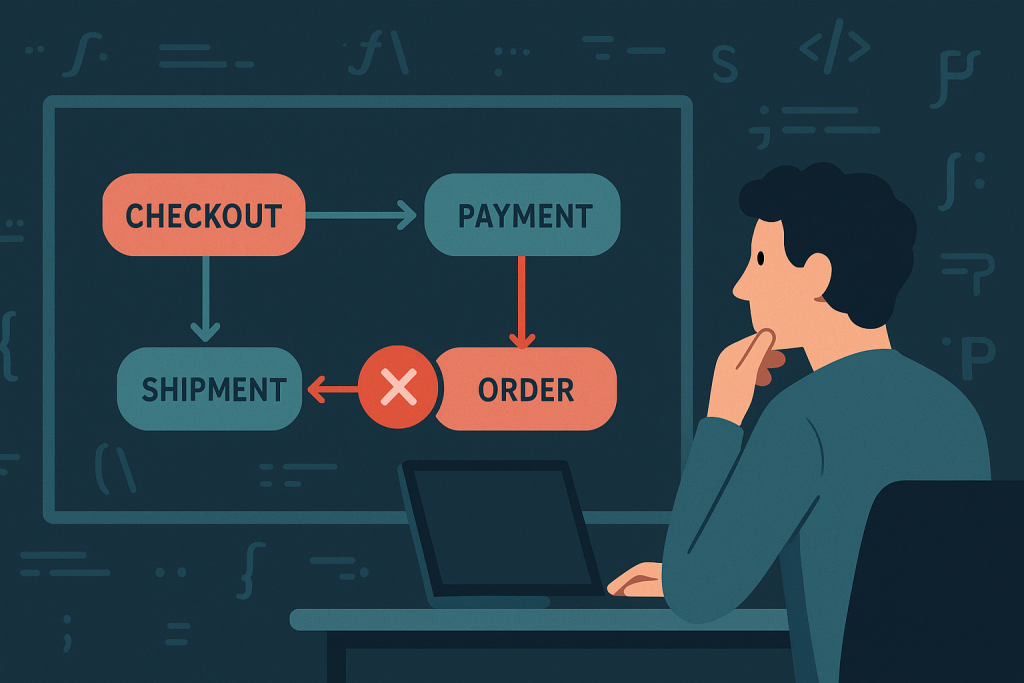
Sylius uses state machines to control valid changes in important business flows. That is a strength: it prevents an order from moving to an impossible status. But when a transition fails unexpectedly, the right response is not to force a database value or disable workflow checks. The job is to find out which transition was requested, which condition rejected it, and whether any code attached to that transition failed.
If a live store has blocked orders or a broken checkout, Sylius Bug Fixing provides focused help with tracing and repairing Sylius-specific problems. Before escalating, use the process below to collect useful evidence and avoid making the issue worse.
What a Sylius state machine transition does
A state machine defines three basic things:
- Places: the allowed states, such as new, processing, paid, shipped, or cancelled.
- Transitions: the named actions that move an entity between states, such as complete, pay, ship, or cancel.
- Rules and callbacks: guards, listeners, and side effects that decide whether the transition is allowed and what happens after it succeeds.
Sylius applies these workflows to several separate entities. An order can have an overall state, while its payment and shipment records have their own states and transitions. Checkout also has its own flow. As a result, a message about an order may actually originate from a payment workflow, a shipment workflow, or custom code that runs after checkout.
The exact state names and transition names depend on the Sylius version and on customisation. Do not assume that a transition visible in a default configuration exists unchanged in a customised store. Inspect the configuration and application code that is deployed in the affected environment.
Common signs of a failed transition
Not every failed transition produces a clear error page. Typical signs include:
- The checkout submit button returns the shopper to the same step.
- A payment is authorised or captured by the provider, but the order remains unpaid or incomplete in Sylius.
- An administrator action such as ship, cancel, or complete is unavailable or throws an exception.
- A background worker repeatedly retries a message related to payment, inventory, or fulfilment.
- A webhook reaches the application but does not update the expected payment or order state.
- An integration reports success while the Sylius entity does not move forward.
These symptoms do not prove that the state machine definition is wrong. A transition can be valid in principle but still fail because the entity is in a different state than expected, a guard blocks it, or a listener throws an exception after an external dependency fails.
Start with the failed business action
Write down the smallest reproducible action. For example: “An administrator clicks Ship on order 1042,” “a customer returns from the payment provider,” or “the payment webhook is processed.” Include the time, the order number or entity identifier, the affected sales channel, and whether the problem happens for every order or only certain combinations of products, shipping methods, and payment methods.
This narrows the investigation. A failure limited to one shipping method points in a different direction from a failure affecting all orders after a deployment. It also prevents a common mistake: debugging the overall order workflow when the failed action belongs to a shipment or payment record.
Check the current state before trying the transition again
A transition is only available from specific places. First, confirm the current persisted state of the relevant entity and compare it with what the user interface suggests. Look at the order, payment, shipment, or checkout object involved in the action. Also inspect related entities where appropriate.
For instance, an order may appear ready to ship, but its shipment could be cancelled, on hold, or associated with a payment rule that has not completed. Conversely, a payment provider may show a successful transaction while the local payment record is still new because the callback handler did not finish.
Avoid changing a state directly in the database as a shortcut. Direct edits bypass the events and business logic that normally run during a transition. That can leave stock, invoices, notifications, fulfilment data, or external integration records inconsistent. In a live store, an apparently quick state correction can create a more difficult reconciliation issue later.
Read the exception and application logs together
When Sylius reports that a transition cannot be applied, preserve the full exception message and stack trace. Then correlate it with application logs around the same timestamp. A generic transition error may wrap the real fault, such as an unavailable API, invalid configuration, an unexpected null value in custom code, or a database constraint error.
Useful evidence includes:
- The transition name requested by the controller, command, webhook handler, or worker.
- The current state and expected state of the entity.
- The exact route, command, queue message, or callback that started the action.
- Recent deployment, dependency, configuration, or environment changes.
- Relevant payment-provider or fulfilment-provider logs, with secrets removed.
Do not enable verbose debugging publicly on a production checkout to obtain this information. Error details can expose paths, configuration, or sensitive data. Prefer server-side logs, controlled staging reproduction, and carefully scoped logging.
Review guards and eligibility rules
A state machine guard is intended to stop a transition when a business condition is not met. In a customised Sylius application, guards may check stock, payment status, addresses, customer roles, fraud checks, channel settings, or data added by an integration.
If the transition is unavailable rather than crashing, a guard or eligibility condition is a likely candidate. Review custom services that subscribe to workflow or Sylius events, voter-style eligibility logic, and configuration that changes behaviour by channel or environment. Pay particular attention to conditions that depend on data created earlier in checkout. A missing address field, mismatched currency, or incomplete custom attribute can make a later transition appear unrelated to its real cause.
Inspect callbacks and listeners around the workflow
Even when a transition itself is permitted, code that runs before or after it can fail. Custom listeners commonly perform work such as reserving stock, creating an ERP record, sending a notification, generating a document, or synchronising a payment result.
Separate these two cases:
- The transition is rejected: the current state, configured workflow, or a guard does not permit it.
- The transition begins but the request fails: a callback, listener, database write, or external service may be throwing an exception.
This distinction is important because disabling a listener may only hide a required business process. Instead, identify whether the listener is custom, supplied by a plugin, or connected to a provider integration, then reproduce the failure in staging with representative data.
Consider asynchronous processing and webhooks
Modern commerce flows are often asynchronous. A payment confirmation can arrive after the browser redirect. Stock synchronisation or fulfilment work may run through a queue. A webhook can be valid but processed twice, delayed, or rejected because its signature, endpoint configuration, or environment settings do not match.
Check whether queue workers are running, whether failed messages are accumulating, and whether a retry is safe. Also verify idempotency: processing the same external event more than once should not attempt an invalid transition or create duplicate side effects. If a problem began after a deployment, compare worker code and environment variables with the web application version. Running mismatched releases can produce confusing workflow behaviour.
A safe reproduction checklist
Use staging where possible, with data that resembles the affected order but does not expose customer information. Reproduce one business path at a time:
- Record the entity states before the action.
- Trigger the same transition through the same route, command, webhook, or worker path.
- Capture logs and the complete exception.
- Identify custom listeners, guards, and integration calls reached by that path.
- Test the narrow fix, including both the successful path and expected refusal cases.
- Deploy with a rollback plan and verify the real operational outcome, not only the changed status label.
For checkout failures, verify that the customer can place an order and that payment, order confirmation, stock handling, and downstream fulfilment all remain consistent. For administrative transitions, verify permissions and any channel-specific rules as well.
When to get specialist help
Escalate quickly when payments are captured without matching orders, fulfilment is blocked, customers cannot complete checkout, or manual workarounds are accumulating. These are cases where preserving transaction history and preventing duplicate actions matter as much as removing the immediate error.
A concise issue report speeds up investigation: provide the failing action, affected order or payment identifiers, timestamps with timezone, a sanitised stack trace, recent changes, and whether the issue is reproducible. With that evidence, a developer can trace the relevant workflow definition and the code attached to it without guessing.
Frequently asked questions
Why does Sylius say a transition is not enabled?
Usually, the entity is not in a state from which that transition is allowed, or a guard condition rejects it. Confirm the entity’s actual current state and inspect any custom rules around the transition.
Can I fix a failed Sylius state machine transition by editing the database?
It is risky. Direct state changes can skip important callbacks and leave payments, stock, notifications, or external records out of sync. Diagnose the failed workflow first and use a controlled repair path where necessary.
Why did the transition fail only for one payment method?
A method-specific plugin, webhook, configuration value, currency rule, or callback is likely involved. Compare a successful payment path with the failing one, including logs and local payment states.
Can a deployment cause a workflow transition failure?
Yes. Changes to workflow configuration, custom event listeners, dependencies, environment variables, or queue-worker versions can affect a previously working transition. Compare the release and worker environment with the last known good version.
A failed Sylius workflow transition is best treated as a traceable business-flow problem, not a status label to force past. Identify the exact action, confirm the true entity state, inspect guards and listeners, and test the fix through the full affected path.