
When a website seems slow before anything visibly loads, the problem may be server response time rather than images, fonts, or page layout. In performance reports, this delay is often described as Time to First Byte (TTFB): the time from a browser requesting a resource until it receives the first byte of the response.
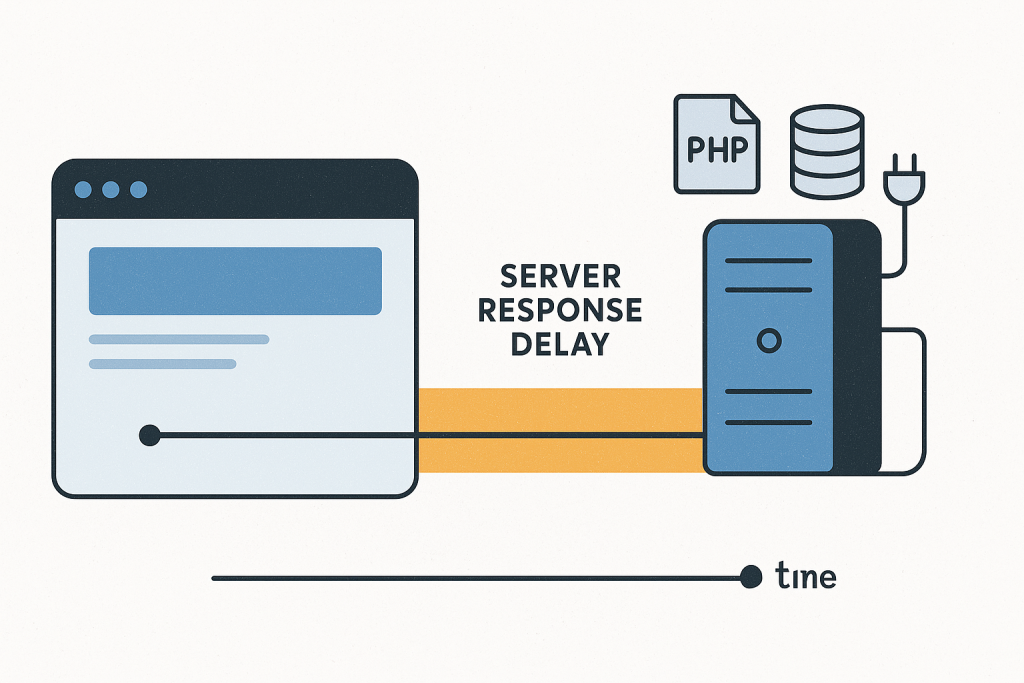
Understanding high TTFB causes matters because frontend changes cannot fix time spent waiting for the server to begin responding. Compressing images or removing unused CSS may still be worthwhile, but it will not resolve a page that waits several seconds for PHP, the database, an external API, or an overloaded host. A measured investigation is the best starting point for effective Website Performance Optimization.
What high TTFB actually means
TTFB is not a score for one isolated component. It represents a portion of the request journey. Depending on the test location and setup, it can include network connection time as well as the time the origin server takes to process a request and begin sending a response.
For a typical dynamic page, the server may need to accept the request, route it through the web server, start or reuse a PHP worker, load WordPress or another application, run plugin or theme code, query the database, fetch remote information, build HTML, and then send the response. A delay at any stage can increase TTFB.
This is why a single high TTFB reading is a clue, not a diagnosis. Compare multiple requests, test important page types, and determine whether the issue is consistent before changing configuration or code.
Common high TTFB causes
1. A slow or constrained hosting environment
Hosting limits can create slow responses even when the website code has not changed. Shared CPU, limited memory, restrictive entry-process limits, exhausted PHP workers, slow storage, or an overloaded database server can all delay requests. The effect may be intermittent: the site is fast at quiet times but slow during traffic peaks, imports, backups, scheduled jobs, or crawler activity.
Look for patterns. Does response time worsen only at particular hours? Do both logged-in and public requests slow down? Are all pages affected, including a simple static file? If static resources are also slow, the environment or network path deserves attention before application-level tuning.
2. Expensive PHP or application work
Dynamic pages can do far more work than their final HTML suggests. A page builder, ecommerce rules, search filtering, personalization, third-party extensions, or custom code may run substantial logic on every uncached request. Repeated bootstrapping, unnecessary loops, large option loads, and inefficient hooks are common examples on PHP-based systems.
A useful comparison is between a cached public page, an uncached version of that page, and a lightweight endpoint such as a health check. If only dynamic uncached pages are slow, the issue is more likely to be application execution than the basic web server.
3. Database waits and inefficient queries
A database does not need to be down to make a website slow. Queries may scan too many rows, sort large result sets, wait on locks, or run repeatedly during one request. Ecommerce catalog pages, complex admin views, reporting tools, and heavily customized sites are especially likely to expose these issues.
Do not assume that every database-related delay requires adding indexes or changing tables. First identify which requests are slow, what queries they run, how often they run, and whether the issue affects only a certain page, user state, or traffic level. Changes made without evidence can create a different problem or make future updates harder.
4. Cache misses or a cache that is bypassed
Full-page caching can make public pages appear fast because the server can return prepared HTML without rebuilding the page. When a cache miss occurs, the underlying cost becomes visible. This is normal occasionally, but it becomes a performance problem when cache misses are frequent or a page is unintentionally excluded from caching.
Common reasons include cookies that vary for ordinary visitors, query strings, geolocation or personalization rules, inconsistent cache keys, short expirations, and purge activity after routine content changes. The right question is not simply “Is caching enabled?” It is “Which requests are served from cache, which are not, and why?”
5. Slow external services
A server-side request to a payment service, CRM, shipping platform, license server, geolocation provider, analytics endpoint, or custom API can hold up page generation. These dependencies may be reliable most of the time and still create severe response delays when they slow down or time out.
External calls deserve special scrutiny if high TTFB begins suddenly, affects a particular feature, or occurs only on pages that need live information. Timeouts should be deliberate, failures should degrade safely where appropriate, and calls that are not essential to the initial response should not block the page unnecessarily.
6. Background work competing with live traffic
Backups, image processing, feeds, imports, exports, cron tasks, search indexing, and queue processing can compete for the same CPU, memory, database connections, and disk I/O used by visitors. A site may therefore become slow at predictable times even though normal page code is unchanged.
Check schedules, hosting metrics, application logs, and any task runner configuration. Moving heavy work off peak hours, breaking it into smaller batches, or using a suitable background-worker setup may reduce contention without changing the public-facing page.
How to investigate high TTFB without guessing
Establish a repeatable baseline
Test several important URLs: the homepage, a typical content page, a product or category page if relevant, and a logged-in or personalized route if it is central to the site. Run more than one test from a reasonable location. Record the time, URL, user state, and whether the result was cached.
Also compare real-user data, where available, with synthetic tests. A lab test might reveal a slow origin response, while real-user data can show whether the problem is broad, regional, device-specific, or tied to particular traffic periods.
Separate origin delay from frontend delay
Use the browser network panel or an HTTP timing tool to inspect the document request. If the document waits a long time before the first response byte arrives, investigate the server path. If the document starts quickly but the page becomes usable slowly, inspect render-blocking resources, scripts, images, and layout work instead.
This distinction prevents a common mistake: treating every slow page as a frontend optimization project. TTFB may be only one part of perceived speed, but it must be addressed in the layer where it occurs.
Compare controlled variations
Useful variations include anonymous versus logged-in, cache warm versus cache bypassed, normal traffic versus a slow period, and one page type versus another. Change one condition at a time. A clear comparison often reveals more than a long list of generic plugin recommendations.
For example, a fast anonymous page and a slow logged-in page may point to personalized application work rather than the CDN. A slow uncached page but fast cached page may reveal a costly generation path. Slow static files and slow dynamic pages together may indicate an infrastructure constraint.
What not to do first
- Do not install several optimization plugins at once. Their overlapping caching, minification, and delay settings can obscure the original problem.
- Do not raise PHP memory, worker counts, or timeout limits blindly. These settings can mask contention while allowing requests to consume more resources.
- Do not purge every cache repeatedly as a diagnostic method. Record whether a response is cached and test deliberately.
- Do not optimize images first when the HTML document itself is slow to begin loading.
- Do not make database schema changes on a live site without a backup, a rollback plan, and evidence that a specific query needs the change.
When high TTFB needs prompt technical attention
Investigate promptly when slow responses affect checkout, login, lead forms, paid traffic landing pages, or a large part of the site. It is also important to act when response time rises sharply after a deployment, hosting change, traffic event, or integration update. If slow requests begin returning gateway errors or intermittent failures, preserve logs and recent-change details rather than continuing random adjustments.
A focused review should connect measurements to the actual request path: server metrics, PHP execution, application profiling where appropriate, database behavior, cache headers, and external-call timing. The goal is not to chase an ideal number in one testing tool. It is to remove the specific constraint that is delaying meaningful visitor requests.
Want a faster website?
Start by finding out whether visitors are waiting on the server or on the browser. High TTFB is actionable when it is measured across the right pages, compared under controlled conditions, and traced to a real bottleneck. Once the cause is known, the fix may be as targeted as correcting a cache rule, reducing expensive code, scheduling background work differently, tuning a database query, or moving to infrastructure that fits the workload.