
Laravel route not found in production is a frustrating problem because a URL may work locally, appear in the route file, and still return a 404 on the live server. The key is to establish where the 404 is generated. A web server can reject a request before Laravel receives it, Laravel can fail to match the URL and HTTP method, or a route can match successfully but return a 404 during model binding.
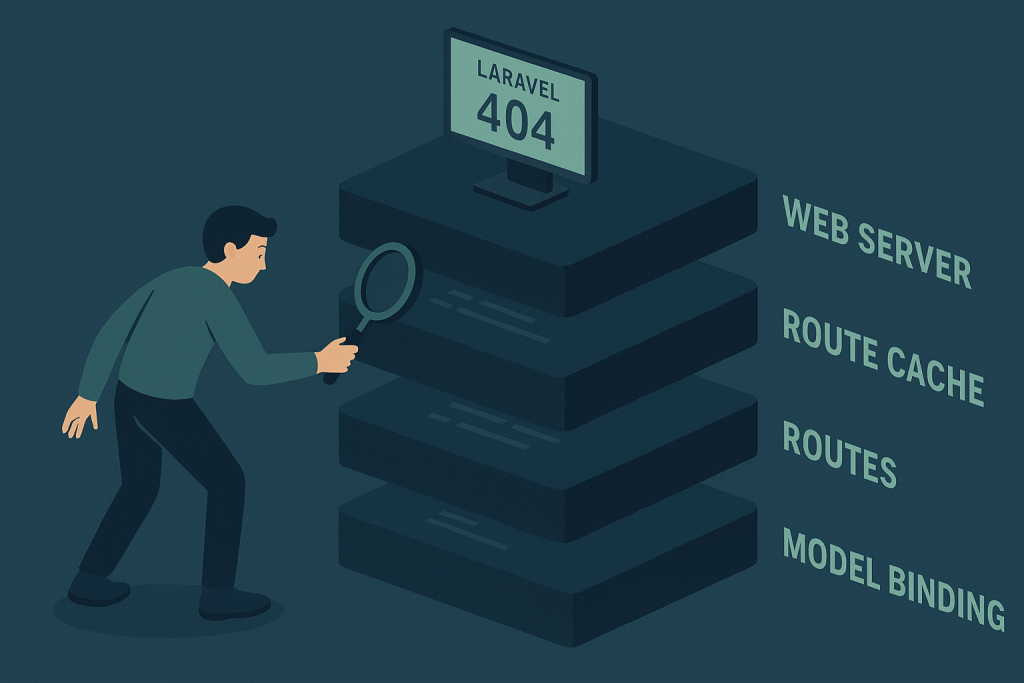
A rushed change to route files, cache commands, document-root settings, or deployment symlinks can make these cases look identical from the browser. Avoid changing several things at once. Instead, compare the failed request with the route Laravel believes it has registered, then work outward through the deployment and web-server layers.
If the issue is affecting customer journeys, an API integration, or an admin workflow, focused Laravel bug fixing can help isolate the failing layer and verify a safe production fix.
First, identify which kind of 404 you have
Before clearing caches or editing routes, capture the exact failing URL, request method, time of failure, and response body. A missing route and a missing record can both produce a “Not Found” page, but they require very different fixes.
- Web-server 404: Nginx, Apache, a reverse proxy, or a CDN returns the response without handing the request to Laravel.
- Laravel routing 404: Laravel receives the request, but no registered route matches its URI, domain, method, or middleware context.
- Model binding 404: Laravel matches the route, but cannot find the requested model, often because of a route key, scope, soft-deleted record, or tenant constraint.
- Authorization disguised as a 404: Some applications intentionally return 404 responses for resources a user is not allowed to discover.
Check the response headers and the look of the error page. Also review the Laravel log at the same timestamp. An absent Laravel log entry does not prove Laravel was bypassed, but it is a useful clue that the request may have been stopped by the web server or proxy.
Confirm the route is registered on the production release
The fastest safe check is to inspect Laravel’s route list on the server and release currently serving traffic. A route present in your local branch is not proof that it exists in the deployed codebase.
php artisan route:list
php artisan route:list –path=orders
Verify the route’s URI, name, HTTP method, domain requirement, and controller action. Pay special attention to small differences that are easy to miss:
- The browser sends GET, while the route only accepts POST, PUT, or DELETE.
- The production URL includes an API prefix, locale prefix, version segment, or tenant subdomain that local testing did not use.
- The route lives in a file or provider that is no longer loaded by the deployed application.
- Route groups add a domain, prefix, or middleware condition that changes the final route definition.
- A route parameter has a restrictive pattern, so a valid-looking value no longer matches.
When checking a signed URL, password-reset link, or externally generated callback URL, confirm it was generated from the same application URL and routing rules as the current production release. Do not assume an old link should survive a domain or route-structure change.
Check route cache as part of the deployment state
Route caching improves performance, but it also means production may be using a compiled snapshot rather than the route files you just reviewed. A deployment can leave an outdated cache behind when code and cache directories are shared incorrectly, cache commands run in the wrong order, or a release switch occurs before the new cache is built.
Start by understanding your deployment process. Determine whether it runs route cache commands, whether the application uses release directories and a shared storage path, and which user executes Artisan commands. Then rebuild caches deliberately rather than treating cache clearing as a universal cure.
php artisan optimize:clear
php artisan route:cache
Only run commands that suit the application’s deployment workflow. For example, if routes use closures, route:cache may not be appropriate for that version and setup. Clear and rebuild caches during a controlled deployment step, not repeatedly on a live server while trying random fixes. Re-test the exact failed method and URL after the release is complete.
Make sure the web server sends requests to Laravel
If the route list is correct but Laravel never sees the request, inspect the web-server handoff. For a typical Laravel application, the public document root should point to the project’s public directory, not the repository root. Requests for files that do not exist should then be passed to public/index.php.
Common deployment mistakes include a virtual host still pointing at an old release, an incorrect document root after a symlink change, missing Nginx try_files behavior, Apache rewrite rules not loading, or a reverse proxy routing only some paths to another upstream.
Compare a known working dynamic route with the failed route. If static assets load but every application URL except the homepage returns 404, the front-controller rewrite configuration deserves immediate attention. If only one prefix such as /api fails, inspect proxy location blocks, application prefixes, and any separate API host configuration.
Test the real request method, host, and headers
A URL is only one part of route matching. The same path can behave differently depending on method, host, scheme, headers, and authentication state. Test with a tool that lets you specify these details rather than relying only on an address-bar request.
For APIs, compare a working request and a failing request for:
- HTTP method and content type
- Host header and subdomain
- Authorization token or session state
- Requested URL after any proxy rewrite
- Trailing slash behavior and URL encoding
A client may report a generic “not found” message after calling the wrong API version or following a redirect that changes the method. Browser developer tools, application logs, and proxy access logs can reveal this mismatch quickly.
Investigate route model binding when the route does exist
If route:list confirms the route and the controller is reached for some values but not others, model binding is a likely cause. A route such as /projects/{project} can return 404 because Laravel cannot resolve the requested project, not because the URI is absent.
Check which key the model uses for binding. A switch from numeric IDs to slugs, a changed slug, an unexpected case-sensitive value, or a custom getRouteKeyName() implementation can make previously valid URLs fail. In multi-tenant applications, scoped bindings may correctly exclude a record that belongs to another account. Soft deletes can also cause a record to disappear from normal binding results.
Do not weaken tenant or authorization boundaries merely to remove a 404. Confirm the expected resource, account context, and binding rules first. If a 404 is intentional for inaccessible data, the defect may be in link generation or user context rather than route registration.
Compare the deployed release, not just source control
When a Laravel route not found in production starts directly after a deploy, compare the active release with the expected commit. Verify that route files, route service providers, generated assets where relevant, environment variables, and deployment hooks all belong to the same release. Also check whether multiple application nodes are serving traffic. One node with old code or stale route cache can produce an intermittent 404 that is difficult to reproduce.
Record the deployment time, release identifier, failing paths, and commands run. That evidence makes it safer to roll forward with a focused correction or roll back if the impact is serious. It also prevents a later investigation from confusing a deployment mismatch with a code-level route bug.
A safe order of operations
- Capture the exact URL, method, host, response, and start time.
- Determine whether the 404 came from the web server, Laravel routing, or model binding.
- Run php artisan route:list on the active production release and inspect the final route definition.
- Review route-cache status and deployment commands before clearing or rebuilding caches.
- Validate document root, rewrite rules, proxy paths, and the active release target.
- Test the same request method, domain, authentication state, and route parameter that fail in production.
- Verify the fix with a real user flow and monitor logs after deployment.
When to get help with a Laravel 404
Escalate quickly when the failed route blocks payment, authentication, customer actions, integrations, or an operational workflow. It is also worth getting help when the error appears only on one server, only after deployments, or only for certain tenant data, because these patterns often involve release state, infrastructure, or custom application rules rather than a simple missing route.
Frequently asked questions
Why does a Laravel route work locally but return 404 in production?
Common causes include a stale route cache, incomplete deployment, different route registration, incorrect web-server rewrite configuration, a domain or prefix mismatch, and model binding that cannot find the production record. Confirm the active production route list before changing code.
Do you work with Lumen or Laravel-based CMSs?
Yes. Lumen and Laravel-based products can have similar production routing and deployment issues, although their configuration and bootstrapping differ. See the Lumen bug fixing guide for Lumen-specific production diagnosis.
Symfony-only apps?
Symfony-only applications use different routing and service configuration conventions. A Laravel-focused route investigation should not be applied blindly to a Symfony project; the framework and deployed runtime should be confirmed first.
Need a Laravel bug fixed?
If you can share the failing URL pattern, HTTP method, time the issue began, recent deployment details, and relevant sanitized log output, the problem can be assessed more efficiently. Start with the Laravel bug fixing service for practical help tracing and resolving a live Laravel issue.